
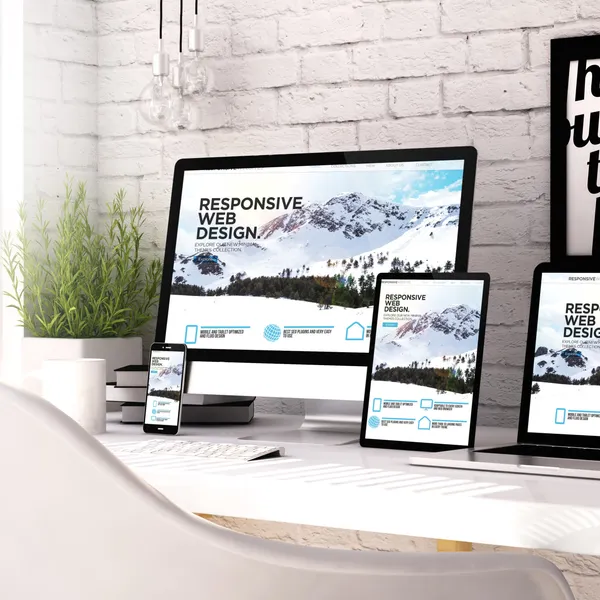
Design vs. Development: What's the Difference
Not sure whether you need web design, development, or both? Understanding the difference is key to building a website that not only looks professional but also performs, converts, and supports your business long-term.
Design vs. Development: What’s the Difference?
When businesses begin planning a website, one of the most common questions that comes up is: what’s the difference between web design and web development? While the two terms are often used interchangeably, they represent two distinct parts of the same process. Understanding how they differ, and how they work together can make a significant impact on the success of your website.
At a high level, web design focuses on how a website looks and feels, while web development focuses on how it functions. Both are essential, and neither can fully succeed without the other.
Understanding Web Design
Web design is centered around the visual presentation and overall user experience of a website. It involves everything a visitor sees when they land on a page, from layout and color choices to typography and imagery. A well-designed website doesn’t just look appealing, it guides users intuitively, helping them find what they need without confusion.
Designers think in terms of structure, hierarchy, and usability. They consider how content is organized, how users move from one section to another, and how the design reflects a brand’s identity. Good design builds trust almost instantly. When a website feels polished and easy to use, visitors are more likely to stay, explore, and take action.
This is why topics like how website design affects user experience and conversions or why UI/UX design is important for business websites are so critical. Design is not just about aesthetics, it directly influences how people perceive your business.
Understanding Web Development
While design defines the look and feel, web development is what brings a website to life. Development is the process of turning static designs into a fully functioning, interactive experience that users can navigate and engage with.
Developers use technologies like HTML, CSS, and JavaScript to build the front end of a website, ensuring that everything displays correctly across devices and screen sizes. On the backend, they may work with servers, databases, and APIs to handle things like form submissions, user accounts, or e-commerce functionality.
In many ways, development determines how well a website performs. Factors like page speed, responsiveness, and reliability all depend on how the site is built. This is why searches like how website development impacts speed and performance or what does a web developer do after the design is finished are so relevant. A strong development foundation ensures that a website doesn’t just look good, but works smoothly under real-world conditions.
The Key Differences That Matter
Although design and development are closely connected, their priorities are different. Design is concerned with user perception: how a site looks, feels, and communicates a brand’s message. Development, on the other hand, is focused on execution and how that vision is built, optimized, and maintained.
Another major difference lies in the tools and skill sets involved. Designers typically work with tools like Figma or Adobe to create layouts and prototypes, while developers use code editors and frameworks to construct the final product. Designers rely heavily on creativity, visual thinking, and user psychology, whereas developers rely on logic, technical knowledge, and problem-solving.
The output of each role also differs. Designers produce mockups and prototypes that represent the intended look of a website, while developers deliver a live, functional site that users can interact with.
Why You Need Both Design and Development
One of the biggest mistakes businesses make is focusing too heavily on one side while neglecting the other. A website with strong design but weak development may look impressive at first glance, but it can suffer from slow load times, broken functionality, or poor SEO performance. On the other hand, a site with solid development but weak design may function perfectly but fail to engage users or build trust.
The most effective websites are the result of both disciplines working together from the beginning. Design sets the direction, ensuring the site aligns with your brand and appeals to your audience. Development then brings that vision to life, making sure it performs reliably across all devices and use cases.
When both are executed well, the result is a website that not only looks professional but also supports real business goals—whether that’s generating leads, increasing sales, or improving user engagement.
Choosing the Right Approach for Your Business
Deciding whether you need design, development, or both depends on your current situation. If your website feels outdated, difficult to navigate, or visually inconsistent, design is likely the priority. If your site is slow, lacks functionality, or struggles to scale, development may be the bigger concern.
However, for most businesses—especially those building a new website or aiming for long-term growth, the answer is both. A cohesive approach ensures that your site is not only visually appealing but also technically sound and built to perform.
Final Thoughts
The difference between web design and web development comes down to form versus function. Design shapes how your audience experiences your brand, while development ensures that experience is smooth, reliable, and effective.
Understanding this distinction allows you to make more informed decisions when planning your website. More importantly, it helps you invest in the right areas, ensuring that your website becomes a valuable asset rather than just a digital placeholder.
In today’s competitive landscape, a successful website isn’t just about looking good or working properly. The goal is about doing both seamlessly.

Why Branding Matters for Any Business
For many business owners, branding is often mistaken for simply having a logo or choosing a few colors. While those elements are part of branding, the concept goes much deeper. Branding is the way your business presents itself to the world and how customers perceive your company. It influences trust, recognition, and ultimately whether someone chooses your business over a competitor.
Understanding the role branding plays can help businesses create a stronger identity, connect with their audience, and build long-term success.
What Branding Really Is
Branding is the overall identity of your business. It includes your logo, colors, typography, messaging, tone of voice, and visual style. More importantly, branding reflects your company’s values, personality, and the experience customers expect when interacting with your business.
A strong brand creates a consistent and recognizable presence across all platforms, including your website, social media, marketing materials, and even how you communicate with clients.
Why Branding Is Important for Businesses
A clear and professional brand helps customers quickly understand who you are and what you offer. When your branding is consistent and well-designed, it builds credibility and trust. People tend to feel more comfortable doing business with companies that appear organized, professional, and established.
Branding also helps differentiate your business from competitors. In many industries, companies offer similar products or services. A strong brand can make your business more memorable and help customers choose you over others.
First Impressions Matter
For many businesses, a website is the first place potential customers encounter your brand. If your branding looks outdated, inconsistent, or unprofessional, visitors may question the credibility of your business. On the other hand, a well-designed brand can immediately communicate professionalism and confidence.
This first impression often determines whether someone stays on your site to learn more or leaves to explore other options.
Consistency Builds Recognition
Consistency is one of the most important aspects of branding. When your logo, colors, fonts, and messaging remain consistent across your website, marketing materials, and social media platforms, it becomes easier for customers to recognize your business.
Over time, this recognition helps build familiarity and trust. Businesses that maintain consistent branding often appear more reliable and established in the eyes of their audience.
Branding Influences Customer Trust
Customers want to feel confident about the businesses they choose. Strong branding helps create that sense of confidence. When a business presents itself clearly and professionally, it signals that the company is serious about what it does.
Trust is especially important for service-based businesses, where customers rely heavily on reputation and credibility when deciding who to work with.
Branding Supports Marketing Efforts
Marketing becomes much more effective when it is supported by a strong brand. Clear branding helps ensure that advertisements, social media content, and website messaging all work together to tell a cohesive story about your business.
Without a clear brand identity, marketing efforts can feel scattered or inconsistent, making it harder to attract and retain customers.
When Businesses Should Revisit Their Branding
Branding should evolve as your business grows. Many companies revisit their branding when they expand services, target a new audience, or modernize their website. Updating branding can also help refresh a company’s image and better reflect its current direction.
A brand update does not always require a complete overhaul. Sometimes refining a logo, improving typography, or establishing clearer brand guidelines can make a significant difference.
Final Thoughts
Branding is much more than visual design—it is the foundation of how your business communicates and connects with customers. A strong brand helps build trust, improve recognition, and support your marketing efforts.
Businesses that invest in thoughtful, consistent branding often position themselves for long-term growth. When customers clearly understand who you are and what you stand for, it becomes much easier for them to choose your business with confidence.
10 Web Design Trends Shaping Digital Experiences for 2026
Web design continues to evolve alongside technology, user expectations, and search engine standards. In 2026, the focus is no longer just about aesthetics — it’s about creating intelligent, fast, accessible, and conversion-focused digital experiences. Businesses that adapt to these changes aren’t just staying modern; they’re positioning themselves for stronger engagement, better SEO performance, and higher conversion rates.
Here are the most important web design trends defining 2026:
Authentic, Human-Centered Design
As automation and templated websites become more common, brands are moving in the opposite direction — toward authenticity and human-centered design. In 2026, businesses are prioritizing real photography over stock images, genuine storytelling over corporate jargon, and brand personality over generic layouts.
Consumers are more digitally savvy than ever, and they can quickly recognize when a website feels artificial or overly polished. Websites that highlight real team members, behind-the-scenes processes, customer stories, and clear brand values create stronger emotional connections. This authenticity builds trust, which directly impacts engagement and conversion rates.
Design elements that support this trend include expressive typography, imperfect but intentional layouts, candid imagery, and warm, conversational copy. Instead of trying to look like every other modern website, brands are focusing on standing out by being distinctly themselves.
In a crowded digital landscape, authenticity is becoming one of the strongest differentiators.
Voice and Conversational Interfaces
Voice technology and conversational UX are becoming more integrated into web experiences. As voice search grows in popularity, especially on mobile devices and smart assistants, websites are beginning to adapt with voice-enabled navigation and AI-powered chat interfaces that feel more natural and intuitive.
Rather than relying solely on traditional menus and static forms, conversational interfaces guide users through decision-making processes. This reduces friction, improves accessibility, and creates a more human interaction style. Businesses that embrace conversational design early are better positioned to meet evolving user behavior patterns.
Purposeful Micro-Interactions
In 2026, motion design is subtle but strategic. Instead of overwhelming users with flashy animations, designers are focusing on purposeful micro-interactions — small visual responses that confirm actions and guide attention. Hover effects, animated buttons, smooth scroll transitions, and visual feedback during form submissions all contribute to a more intuitive experience.
These refined details build trust and make websites feel polished and responsive. Micro-interactions also help users understand how to navigate a site without confusion, reducing frustration and improving usability. When done correctly, they enhance the experience without sacrificing speed or performance.
Bold Typography and Statement Text
In 2026, typography is taking center stage. Instead of relying heavily on imagery alone, many websites are using oversized, expressive fonts to create immediate visual impact. Bold headlines, dramatic scale shifts, and distinctive typefaces are becoming key design elements rather than secondary styling choices.
Statement typography helps communicate brand personality instantly. Whether it’s clean and minimalist, elegant and refined, or loud and expressive, font choices now carry strategic weight. Designers are pairing strong typography with generous white space to ensure clarity while maintaining visual drama.
This trend also improves usability when done correctly. Clear hierarchy, readable contrast, and intentional spacing guide visitors through content naturally. Large, well-structured text enhances accessibility and keeps users engaged — especially on mobile devices where clarity is essential.
When typography is treated as a core design feature instead of an afterthought, it elevates both branding and user experience.
Immersive 3D and Depth Effects
Three-dimensional elements and layered design are becoming more common, but with a strong emphasis on optimization. Rather than heavy, performance-draining graphics, designers are using lightweight 3D visuals, depth layering, and subtle motion effects to create immersive experiences without compromising load speed.
This trend works especially well for product-based businesses or brands that want to create a sense of dimension and interactivity. However, performance remains critical. In 2026, immersive design must coexist with fast load times and strong Core Web Vitals metrics to support SEO.
Accessibility as a Core Standard
UX isn’t just aesthetics — it’s direction.
Each page should have:
- One primary action
- Clear button language
- Logical placement
If users know what to do next, engagement increases — which supports SEO performance over time.
Asymmetrical Layouts and Creative Grids
While minimalism remains popular, rigid grid systems are giving way to more expressive layouts. Designers are experimenting with asymmetry, dynamic spacing, and layered typography to create visually distinctive websites. These layouts break predictable patterns while maintaining usability.
Creative grid systems allow brands to stand out in crowded markets. However, balance is key — innovation must not come at the cost of clarity. Successful asymmetrical designs guide the user’s eye intentionally and maintain strong content hierarchy.
Performance-First and Sustainable Design
Speed is no longer just a technical concern — it is a design decision. Sustainable web design practices focus on reducing unnecessary scripts, optimizing images, minimizing code bloat, and prioritizing essential content. Faster websites consume fewer resources and provide a smoother experience.
Search engines increasingly reward high-performing sites, and users have little patience for slow-loading pages. In 2026, performance optimization is built into the design process from the beginning rather than added later as a fix.
Content-First, SEO-Driven Structure
Modern web design prioritizes content clarity and structure. Pages are being designed with SEO and readability in mind, using strategic heading hierarchies, structured sections, FAQ components, and skimmable formatting. The goal is to make content easy for both users and search engines to understand.
Rather than treating design and SEO as separate disciplines, businesses are integrating them. This approach ensures that visual presentation enhances — rather than competes with — search visibility.
Mobile-First Strategy
UX-driven SEO requires data. Mobile usage continues to dominate web traffic, making mobile-first design a non-negotiable standard. Designers are building layouts primarily for smaller screens and then scaling upward for larger displays. Navigation is simplified, touch interactions are prioritized, and content is streamlined to maintain clarity on compact devices.
A mobile-first mindset ensures better usability, improved engagement, and stronger search rankings, as search engines primarily evaluate the mobile version of websites.
Final Thoughts
Web design trends in 2026 reflect a deeper shift toward user-centered, performance-driven digital experiences. The emphasis is no longer on decoration alone — it is about creating intelligent systems that are fast, accessible, personalized, and strategically structured for search visibility.
Businesses that embrace these trends thoughtfully will not only appear modern but will also benefit from improved SEO performance, stronger engagement, and higher conversion rates. The future of web design belongs to brands that balance innovation with usability and performance.
Interested in more articles about design? Read our guide on how to improve SEO with UX: A practical guide for business owners.

How to Improve SEO with UX: A Practical Guide for Business Owners
Most people treat SEO (search engine optimization) and UX (user experience) as separate strategies. They’re not. Search engines reward websites that provide a great experience. That means if your UX improves, your SEO often improves too. In fact, many ranking factors today are directly tied to how users interact with your site.
As of December 2025, according to Statista, Google which dominates over 90% of search traffic has tirelessly refined its ranking algorithm to prioritize a website’s user experience. Google wants everyone to know that a fast, user-friendly, optimal, and stable website ranks higher.
Here’s a guide on how to improve SEO by improving UX — in practical, measurable ways.
1. Improve Page Speed (Core Web Vitals Matter)
Slow websites hurt both rankings and conversions.
Google measures performance through Core Web Vitals, including:
- Largest Contentful Paint (LCP)
- First Input Delay (FID)
- Cumulative Layout Shift (CLS)
To improve:
- Compress images
- Use next-gen formats (WebP)
- Minimize JavaScript
- Enable caching
- Use clean coded, lightweight websites
A fast website lowers bounce rate and increases time on site — two behavioral signals that support SEO.
2. Simplify Navigation and Site Structure
If users can’t find what they need quickly, they leave.
Google learns about your website when it crawls it. Clear site structure improves:
- Crawlability (search engines understand your hierarchy)
- Internal linking strength
- User flow
Best practices:
- Keep main navigation simple (5–7 items max)
- Use descriptive menu labels (not “Services 1”)
- Create clear category pages
- Add contextual internal links
Better structure = better indexing + better engagement.
3. Design for Mobile First
Google uses mobile-first indexing.
If your mobile experience is poor, your rankings suffer.
Improve mobile UX by:
- Using responsive design
- Increasing tap target sizes
- Reducing popups
- Avoiding horizontal scroll
- Optimizing mobile load speed
More than half of traffic is mobile. Poor mobile UX = lost rankings and lost revenue.
4. Improve Readability and Content Layout
Even great content fails if it’s hard to read.
UX-driven content formatting helps SEO because it increases:
- Time on page
- Scroll depth
- Engagement
Use:
- Short paragraphs
- Clear subheadings (H2, H3)
- Bullet points
- Visual breaks
- Strong opening hooks
Make scanning easy. Users don’t read — they scan.
5. Reduce Bounce Rate with Clear Messaging
Modern customers expect convenience. If users land on your page and don’t instantly understand what you do, they leave.
Improve above-the-fold clarity:
- Clear headline (what you do + who it’s for)
- Short supporting paragraph
- Strong call to action
Search engines measure pogo-sticking (users bouncing back to results quickly). Clear messaging improves dwell time.
6. Optimize Calls to Action (Without Being Aggressive)
UX isn’t just aesthetics — it’s direction.
Each page should have:
- One primary action
- Clear button language
- Logical placement
If users know what to do next, engagement increases — which supports SEO performance over time.
7. Use Internal Linking Strategically
Internal linking improves both UX and SEO.
It:
- Helps users explore related topics
- Distributes authority across pages
- Helps search engines understand relevance
Best practice:
- Link to related blog posts naturally
- Use descriptive anchor text
- Avoid over-optimization
Think: helpful navigation, not keyword stuffing.
8. Improve Accessibility
Accessible websites perform better overall.
Simple improvements include:
- Alt text for images
- Proper heading structure
- Good color contrast
- Keyboard navigability
Accessibility improves usability for everyone — and search engines benefit from clearer structure.
9. Eliminate Friction in Forms
If your forms are long or confusing, users abandon them.
Improve UX by:
- Reducing required fields
- Grouping related inputs
- Showing clear success messages
- Adding trust signals
Higher conversion rates often correlate with stronger behavioral SEO signals.
10. Track User Behavior and Optimize
UX-driven SEO requires data.
Use tools like:
- Google Analytics
- Heatmaps
- Session recordings
Look for:
- High-exit pages
- Low scroll depth
- Navigation confusion
Then iterate.
SEO is not just keywords — it’s user satisfaction.
Why UX-Driven SEO Wins Long-Term
Search engines are evolving.
They prioritize:
- User satisfaction
- Performance
- Clarity
- Engagement
If your website is technically optimized but difficult to use, rankings will plateau.
But if your site is fast, intuitive, and conversion-focused, both users and search engines reward you.
Final Thoughts
Improving SEO through UX isn’t about design trends.
It’s about:
- Reducing friction
- Increasing clarity
- Improving performance
- Guiding users effectively
When you align SEO strategy with user experience, you create a website that ranks — and converts.
Want to learn more about SEO? Read our post about technical SEO.
Want other website tips for your business? Read our post about how a well-designed website can boost business.
Interested in reading more about design and UX? Read our forecast on 10 web design trends shaping digital experiences for 2026.
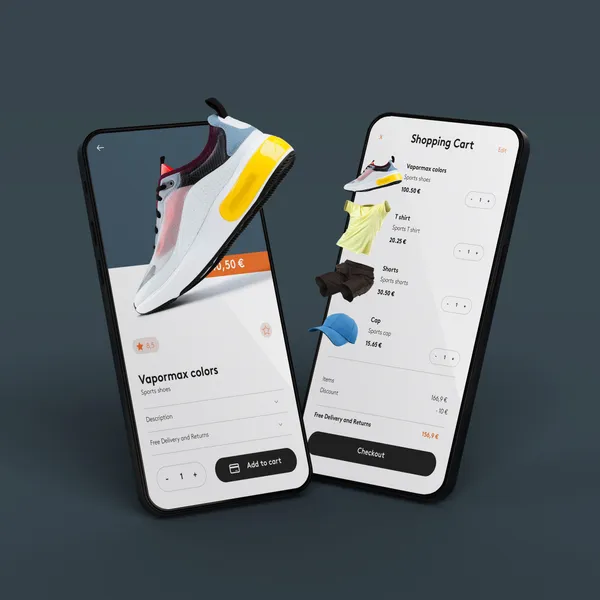
Should a Retail Business Focus on E-commerce in 2026
In 2026, retail businesses can no longer treat e-commerce as optional — customers expect to browse, compare, and buy online seamlessly. A strong online presence expands your reach beyond local foot traffic and creates additional revenue streams. Retailers that combine in-store experience with smart e-commerce strategy will stay competitive and future-proof their growth. If you already do retail sales, you’ve probably asked yourself this question:
“Do I really need to sell online?”
With the rise of online shopping, social commerce, and mobile purchasing, it can feel like going digital is no longer optional. But is starting an e-commerce store always the right move?
Let’s break it down strategically.
The Short Answer: It Depends on Your Goals
Starting an e-commerce store isn’t just about “being modern.” It’s about:
- Expanding revenue
- Reaching new customers
- Future-proofing your business
- Competing effectively in your market
For many store owners, the real question isn’t if you should sell online — it’s when and how.
Why Many Store Owners Go Online
Reach Beyond Your Local Area
An e-commerce store:
- Expands your reach nationwide (or globally)
- Allows 24/7 purchasing
- Attracts customers through Google and social media
If someone loves your product but doesn’t live nearby, an online store removes that barrier.
Create a Second Revenue Stream
Brick-and-mortar sales fluctuate:
- Weather
- Seasonality
- Economic downturns
- Foot traffic changes
An online store gives you:
- Revenue outside store hours
- Holiday promotions without extended staffing
- Email marketing opportunities
- Retargeting campaigns
It diversifies your income — which lowers risk.
Improve Customer Convenience
Modern customers expect convenience.
They want to:
- Browse before visiting
- Check inventory
- Order for pickup
- Reorder past purchases easily
An e-commerce store supports this behavior and strengthens loyalty.
When It Might Not Make Sense (Yet)
While e-commerce offers benefits, it’s not automatically right for everyone.
You may want to reconsider if:
- Your margins are very thin and shipping costs would hurt profitability.
- Your product requires in-person consultation.
- You don’t have systems for inventory management.
- You’re already struggling operationally offline.
Going online adds complexity — fulfillment, returns, marketing, and tech management.
The Real Consideration: Do You Have a Strategy?
Many store owners launch a website and expect instant sales.
But e-commerce requires:
- Traffic generation (SEO, ads, social)
- Product photography
- Shipping logistics
- Email marketing
- Conversion optimization
Without a plan, an online store can sit idle.
With a strategy, it can become a powerful growth channel.
Hybrid Is Often the Smart Move
The most successful store owners today don’t choose physical or online — they combine both.
Examples:
- Buy online, pick up in store (BOPIS)
- Online exclusives
- Pre-orders
- Gift cards
- Subscription options
An online store can complement — not replace — your physical location.
Benefits That Often Surprise Store Owners
Increased Brand Credibility
Even customers who shop in-store often research online first.
Better Customer Data
Email capture and online purchase tracking give insight you don’t get from walk-ins.
Easier Repeat Sales
Email campaigns and retargeting drive repeat purchases automatically.
The Cost Question
Yes, there are costs:
- Platform fees
- Payment processing fees
- Shipping materials
- Marketing budget
- Development (if hiring someone)
But compare that to:
- Additional retail rent
- Hiring more staff
- Expanding physical space
Online expansion is often lower-risk than physical expansion.
Questions to Ask Yourself
Questions to Ask Yourself
Before launching, ask:
- Do my customers already search for products online?
- Can my products ship easily and profitably?
- Do I want to grow beyond my local market?
- Am I ready to invest time or hire support?
If you answer “yes” to most of these — starting an e-commerce store likely makes sense.
Final Verdict: Should You Start One?
For most modern store owners, having some form of e-commerce presence is no longer optional — it’s strategic.
You don’t have to launch a massive, complex online operation.
You can start small:
- Core products only
- Local delivery
- In-store pickup
- Simple online catalog
Then scale as demand grows.
The key is intentional growth — not rushing into tech without a plan. And alternatively if you already have an existing e-commerce store, a smart website redesign SEO strategy can help prevent traffic loss and boosts long-term visibility and sales.
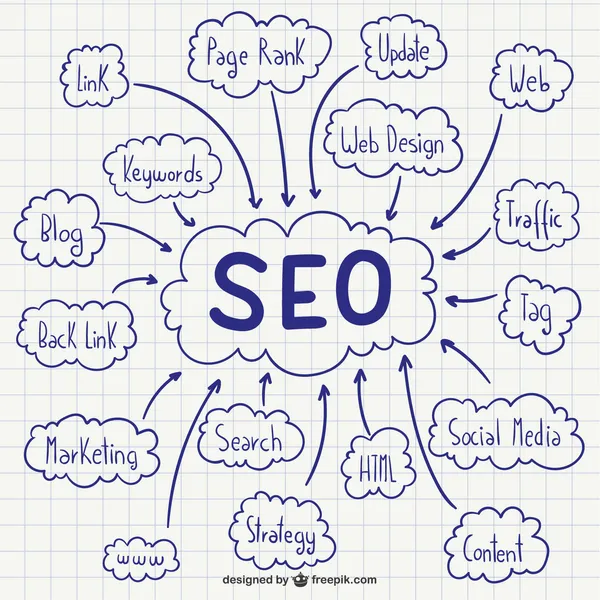
What is Technical SEO and How it Matters
Ask ten people what technical SEO is and you’ll get ten different answers. For some, it’s a checklist. For others, it’s a mystery box of code and crawlers. In reality, technical SEO is much simpler — and much more important — than it’s often made out to be.
At its core, technical SEO is about making sure search engines can access, understand, and trust your website. If they can’t, everything else you do — content, backlinks, keywords — becomes less effective.
Technical SEO Is the Foundation, Not the Finish Line
Content and links get the spotlight, but technical SEO is the foundation they sit on. If that foundation is weak, even great content struggles to perform.
Technical SEO focuses on questions like:
- Can search engines crawl your site efficiently?
- Can they index the right pages?
- Do your pages load fast and work well on all devices?
- Is your site structured in a way that makes sense?
If the answer to any of these is “not really,” rankings and traffic will suffer — often silently.
Crawlability: Can Search Engines Reach Your Pages?
Search engines use bots to crawl your site. Technical SEO ensures those bots can move through your pages without friction.
Common issues include:
- Broken internal links
- Poor URL structure
- Blocked pages via robots.txt
- Duplicate content from bad canonical setup
If Google can’t reliably crawl your site, it can’t evaluate it properly — no matter how good the content is.
Indexing: Are the Right Pages Being Counted?
Not every page on your site should be indexed. Technical SEO helps control what search engines actually include in their results.
This means managing:
- Canonical tags
- Noindex directives
- Parameter-heavy URLs
- Thin or duplicate pages
Without this control, search engines waste time on low-value pages while ignoring the ones that matter.
Site Speed and Performance Matter More Than Ever
Performance is no longer optional. Slow sites frustrate users and reduce conversions — and Google measures that.
Technical SEO includes:
- Core Web Vitals
- Image and asset optimization
- Efficient JavaScript and CSS delivery
- Server and hosting performance
A technically sound site loads quickly, feels responsive, and keeps users engaged.
Mobile and UX Are Now SEO Concerns
Google indexes your site using its mobile version first. That means layout, navigation, and usability directly affect SEO.
Technical SEO overlaps heavily with UX:
- Responsive design
- Touch-friendly navigation
- Readable content without zooming
- Stable layouts that don’t shift
A site that’s hard to use on mobile is harder to rank — period.
Structured Data: Helping Search Engines Understand Context
Schema markup doesn’t guarantee rankings, but it improves clarity.
Structured data helps search engines understand:
- Products and pricing
- Reviews and ratings
- FAQs and how-to content
- Business details
This can unlock rich results and improve visibility — even if your position stays the same.
Security and Trust Signals Matter
Google expects modern sites to be secure and well maintained.
Technical SEO includes:
- HTTPS
- Clean redirect handling
- Proper status codes
- No malware or hacked content
Trust is part of ranking, and technical hygiene plays a big role.
Why Technical SEO Actually Matters to Your Business
Here’s the part most guides miss: technical SEO isn’t about pleasing Google — it’s about removing friction.
When your site is technically solid:
- Pages load faster
- Users stay longer
- Conversion rates improve
- Content performs better
- Marketing dollars go further
Technical SEO amplifies everything else you do.
Final Thought
You don’t need to obsess over every technical detail — but you can’t ignore them either.
Technical SEO is not a one-time fix or a magic lever. It’s ongoing maintenance that ensures your website stays visible, usable, and competitive as search evolves.
If SEO is the engine, technical SEO is the oil that keeps it running.
Want to learn more about SEO? Read our post about to improve SEO with UX.

How Web Accessibility Can Affect Your Business
Web accessibility means creating websites that everyone can use, no matter their abilities or limitations. That includes people who are blind or visually impaired, have limited mobility, rely on screen readers, or use voice navigation tools.
An accessible website ensures that every visitor—not just some—can easily navigate, read, and interact with your content.
How Websites Can Be More Accessible
Here are some ways to make a website more accessible:
- Structure layouts that are easy to navigate with screen readers.
- Choose colors with proper contrast ratios.
- Label buttons and images correctly for assistive technology.
- Ensure every interactive element works from a keyboard, not just a mouse.
- Make forms and menus usable on any device or browser.
- Without this kind of detail, your site could unknowingly exclude a portion of your audience—or even fail legal accessibility standards.
Accessibility Isn’t Just Ethical—It’s Strategic
What can an accessible website do for you?
- Legal Protection: Accessibility laws like the ADA and WCAG guidelines apply to many public-facing websites. A designer helps ensure your site meets compliance standards.
- Wider Audience Reach: Accessible websites work for everyone, including aging users and people using assistive tech.
- Better SEO: Search engines reward clean structure, proper headings, and alt text—all part of accessible design.
- Improved User Experience: When accessibility is built in, your site becomes easier to read, navigate, and use—for all visitors.
- Professional Credibility: A well-built accessible site shows that your business cares about inclusion and attention to detail.
Common Mistakes Some Sites Make
Here are some common mistakes many websites will often make:
- Poor color contrast or unreadable text.
- Missing alt text on images.
- Buttons or menus that don’t work via keyboard.
- Videos without captions.
- Incorrect heading order, confusing assistive tools.
How to Fix These Problems
- Audit your existing site for accessibility gaps.
- Design layouts that adapt naturally to different devices and assistive technologies.
- Use semantic HTML and ARIA labels where needed.
- Test your site using accessibility tools and screen readers.
- Balance clean design with compliance and usability.
- A website redesign and SEO adjustments work together to improve user experience and search visibility.
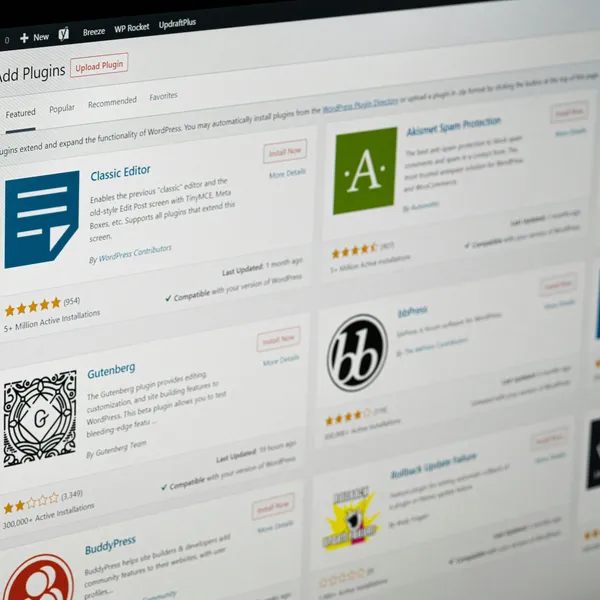
WordPress vs. Custom Coded Websites
Choosing between WordPress and a custom-coded website depends on your business goals, budget, and scalability needs. WordPress offers flexibility and speed to launch, while custom development provides greater performance control and tailored functionality. The right choice comes down to how much customization, security, and long-term growth you’re planning for. See the comparisons:
Flexibility and Customization
WordPress:
WordPress offers thousands of themes and plugins, making it possible to get a site up quickly without writing a single line of code. However, this convenience can come at the cost of flexibility. Customizing beyond what a theme allows often requires additional plugins, which can lead to conflicts, performance issues, or extra maintenance.
Custom Coded:
A custom-coded site is built from the ground up to meet your exact requirements. There’s no relying on generic templates or bloated plugins. Every element is tailored to your brand, functionality is precise, and scalability is baked in from day one.
Performance and Speed
WordPress:
WordPress sites can be fast, but because they often rely on multiple plugins and pre-built themes, they can become heavy and slow—especially if not optimized properly. A slow site can hurt both user experience and search rankings.
Custom Coded:
With a custom site, every line of code is purposeful. There’s no unused CSS or JavaScript, no extra plugin overhead. This results in faster load times, smoother user experiences, and better SEO performance.
Security and Maintenance
WordPress:
As one of the most popular platforms in the world, WordPress is also a frequent target for hackers. Keeping it secure requires regular updates to the core software, themes, and plugins—sometimes weekly. Neglecting updates can leave your site vulnerable.
Custom Coded:
A custom-coded site has a smaller attack surface because it doesn’t rely on publicly available themes or plugins. Security can be built into the foundation, and maintenance schedules are often less demanding—focused on your site’s specific needs.
Cost Over Time
WordPress:
WordPress is often cheaper upfront because you can use free or low-cost themes. However, costs can add up over time with premium plugins, developer fixes, and performance upgrades.
Custom Coded:
A custom site usually has a higher initial investment, but it’s built to last. Without the constant need for plugin updates or theme overhauls, the long-term cost can be lower—especially if your site grows with your business instead of requiring a rebuild.
Who Should Choose Which?
-
WordPress works well for small projects, personal blogs, or businesses that need to get online quickly with minimal upfront cost.
-
Custom Coded is ideal for businesses that prioritize performance, unique branding, scalability, and long-term ROI.
Final Thoughts
If your priority is speed-to-launch and you’re comfortable with ongoing maintenance, WordPress is a solid choice. But if you want a website that stands out, performs flawlessly, and adapts perfectly to your business needs, a custom-coded site is worth the investment.

How a Well-Designed Website Can Boost Business
A well-designed website builds trust, communicates your value clearly, and guides visitors toward taking action. Strong layout, fast performance, and intuitive navigation keep users engaged and reduce bounce rates. When design and strategy align, your website becomes a powerful tool for generating leads and increasing revenue.
So, what exactly can a well-designed website do for a business? Let’s break it down.
It builds instant credibility
People make snap judgments online. A clean, modern, and professional website design immediately communicates trust and legitimacy. On the flip side, an outdated or clunky website raises red flags and can make even the best business seem unreliable.
Fact: 75% of users admit to judging a company’s credibility based on its website design.
It keeps visitors engaged
First impressions are one thing, but keeping someone on your site long enough to convert is another. Good design—paired with thoughtful layout, intuitive navigation, and clear calls to action—keeps users interested and helps guide them naturally toward your goals (whether that’s booking, buying, or inquiring).
Fact: 38% of people will stop engaging with a website if the content or layout are unattractive.
It boosts your search rankings (SEO)
Design isn’t just visual—it’s also structural. A well-designed website is optimized for performance, mobile-friendly, and built with clean code—all things search engines love. That means better rankings, more visibility, and ultimately, more organic traffic.
Fact: 47% of Users expect a maximum of 2 seconds loading time for an average website.
It improves mobile experience
More than half of all website traffic now comes from mobile devices. A responsive, mobile-optimized design ensures that your site looks great and functions smoothly across all screen sizes. If your site isn’t mobile-friendly, users will bounce—and search engines may penalize you.
Fact: 57% of internet users say they won’t recommend a business with a poorly designed website on mobile.
It increases conversions
Design directly impacts your bottom line. Strategic design choices—like well-placed buttons, concise messaging, smart use of color, and trust-building visuals—can increase your conversion rate. That means more leads, sales, or sign-ups from the same amount of traffic.
Fact: 88% online consumers are less likely to return to a site after a bad experience.
It reflects your brand identity
Your website is a digital extension of your brand. A thoughtful design ensures that your site visually communicates your values, voice, and style. This consistency builds brand recognition and reinforces your credibility across every touchpoint.
Fact: Users spend an average of 5.94 seconds looking at a website’s main image.
It streamlines the customer journey
Whether you want users to fill out a form, browse services, or make a purchase, the structure and flow of your site matters. A well-designed website removes friction and confusion, guiding users step-by-step toward your most important goals.
Fact: Nearly 8 in 10 customers would stop engaging with content that doesn’t display well on their device.
What makes a website “well-designed”?
- User-centered design: Easy to navigate and understand
- Visual clarity: Clean layout, strong typography, and purposeful colors
- Speed & performance: Fast loading times and optimized media
- Mobile responsiveness: Works flawlessly on all devices
- Clear messaging & CTAs: Visitors know what to do next
- On-brand aesthetics: Reflects your unique identity
The bottom line
Your website is more than just a digital business card—it’s a 24/7 salesperson, brand ambassador, and customer service rep all rolled into one. A well-designed website doesn’t just look good—it works hard behind the scenes to attract, engage, and convert your audience.
If your current site isn’t performing the way it should, it might be time for a redesign. The investment pays off not just in appearance—but in real, measurable business growth.