

Is Your Website Outdated? Here's What It's Costing Your Business

Most business owners know, somewhere in the back of their mind, that their website is outdated. They just haven’t done anything about it yet. It still loads. The phone number is still there. Good enough.
Here’s the problem: an outdated website isn’t neutral. It’s actively working against you. Every day a prospect lands on a slow, dated, hard-to-navigate site and leaves without contacting you, that’s a customer your competitor gets instead. The website isn’t just sitting there doing nothing. It’s doing damage.
This post covers the concrete signs your website is outdated and, more importantly, what that’s actually costing your business.
The Real Cost of an Outdated Website
Before we get to the symptoms, it’s worth being specific about what “costing you customers” actually means in practice.
Lost leads you never knew about
When someone lands on your website and leaves without contacting you, you don’t get a notification. You don’t know it happened. That’s what makes an outdated website so dangerous: the cost is invisible. You don’t lose a customer you can point to. You just never get the call.
Research consistently shows that 75 percent of people judge a business’s credibility based on its website design. A site that looks like it was built in 2014 sends a signal, whether you intend it to or not. That signal is that the business behind it may not be current, active, or trustworthy with their money.
Lower search rankings
Google has said explicitly that page experience matters for rankings. That includes page speed, mobile responsiveness, and Core Web Vitals. An outdated website built before these became ranking factors is almost certainly leaving organic traffic on the table.
Slow load times hurt you twice: once with Google (which demotes slow pages) and once with the visitor (53 percent of mobile users abandon a site that takes longer than three seconds to load). An old site that hasn’t been optimized for speed is losing potential customers before they even read a single word.
A first impression that works against you
Your website is often the first thing a prospect sees. In B2B, it’s almost always checked before a buying decision is made. In local services, it’s what someone looks at after finding you on Google. If the design looks dated, the photos are low resolution, or the copy describes a business that no longer matches what you actually do, you’ve lost the sale before you knew there was one.
Signs Your Website Is Outdated
It doesn’t work properly on mobile
If your site requires pinching and zooming to read on a phone, it’s outdated. More than 60 percent of web traffic now comes from mobile devices. A site built before responsive design was standard will look broken on most smartphones, and Google has indexed mobile-first since 2020. If your mobile experience is poor, your desktop rankings suffer too.
It loads slowly
Pull up your site on Google PageSpeed Insights and check your mobile score. Anything below 50 is a significant problem. Outdated sites often have uncompressed images, bloated code, and old plugins that drag load times well past the three-second threshold where most users give up.
The design looks like it belongs to a different era
Flat design, clean typography, and generous white space are standard now. If your site has drop shadows on everything, uses multiple competing fonts, has a slider on the homepage, or looks visually dense and cluttered, it reads as old regardless of how good your actual services are.
The content describes a business you no longer are
Services you no longer offer. Testimonials from five years ago. A team page with people who left. An “about” section with a founding story that doesn’t reflect where the company is now. Outdated content doesn’t just mislead prospects: it signals to Google that the site isn’t maintained, which can hurt how frequently it gets crawled and indexed.
You haven’t touched it in over two years
This one is simple. If you can’t remember the last time something on your website changed, it’s outdated. Active, healthy websites get updated regularly: new blog posts, updated service descriptions, fresh case studies, current offers. A static site that hasn’t changed in years looks abandoned to both visitors and search engines.
It’s not connected to your marketing
No Google Analytics. No Search Console. No ability to track where visitors come from or what they do on the site. If you have no visibility into your website’s performance, you can’t improve it. And a site that isn’t being measured is almost certainly underperforming.
How Much Is It Actually Costing You?
Here’s a simple way to think about it.
If your website gets 200 visitors a month and converts at 1 percent, that’s two leads. A well-designed, fast, mobile-optimized site with clear calls to action might convert at 3 to 5 percent. That same 200 visitors becomes six to ten leads. For most service businesses, that difference is worth thousands of dollars a month in revenue.
The website isn’t a cost. It’s infrastructure that either produces leads or doesn’t. An outdated website is infrastructure that isn’t producing what it should.
What To Do About It
First, get a clear picture of what you’re working with. Check your site on a mobile device. Run it through PageSpeed Insights. Look at it honestly through the eyes of someone who has never heard of your business.
Then decide whether you need a full redesign or a targeted refresh. A redesign makes sense when the site has fundamental structural problems: wrong platform, broken mobile experience, no SEO foundation, outdated branding. A refresh may be enough if the bones are solid but the design and content feel stale.
Either way, the worst move is doing nothing. Every month with an outdated website is another month of leads going to whoever has a better one.
Ready to find out what your website is actually costing you? SurgeRiver builds conversion-focused websites for small businesses with SEO built in from the start. Get in touch and we’ll take a look.
What Is a Boutique Design Agency?
When most people picture hiring a design agency, they picture a conference room, a pitch deck, an account manager who takes notes and then disappears to “loop in the team.” The project takes months. Somewhere between the kickoff call and the final deliverable, the senior designer you were sold on hands your project to a junior.
A boutique design agency works differently. The model is smaller by design, and that size is the point.
What a Boutique Design Agency Actually Is
A boutique design agency is a small, specialized firm, typically between 2 and 15 people, focused on a defined set of services delivered by senior-level practitioners. The defining characteristic isn’t the headcount. It’s the access.
At a boutique creative agency, the person you meet in the sales conversation is usually the person doing the work. There’s no handoff to a junior team after the contract is signed. The strategic thinking, the design decisions, and the execution all come from the same people who understood your problem from the first conversation.
This is structurally different from a large agency, where specialization and scale require layers. Account managers handle client communication. Creative directors oversee work they don’t execute. Junior designers and developers produce the deliverables. Each layer adds cost and distance from the original brief.
A boutique model trades scale for directness. Fewer clients, more attention per client.
How a Boutique Agency Differs from a Large Firm
The differences show up in the day-to-day experience of being a client, not just in the company description.
Communication is direct. At a boutique digital agency, emails go to the person working on your project. Feedback goes directly to the designer or developer acting on it. You’re not playing telephone through an account manager who summarizes your notes into a Slack message.
Senior work on every project. Large agencies reserve senior talent for large clients. If your budget is $15,000, you’re probably getting someone two or three years into their career. At a boutique branding agency or boutique web design agency, the senior work is the only work. There’s no one else to hand it to.
Faster decisions. A team of four doesn’t need an internal approval chain. When something needs to change, it changes. When you have a question, it gets answered by someone with full context, not forwarded to someone who needs to be caught up.
Lower overhead, more focused spend. Large agencies carry the cost of offices, account teams, operations staff, and new business teams. That overhead is baked into what you pay. A boutique agency has lean infrastructure. More of your budget goes toward the actual work.
What a Boutique Marketing Agency Can Do That a Large One Often Can’t
Scale has limits in creative work that it doesn’t have in manufacturing. A boutique marketing agency with experienced practitioners can often produce higher-quality strategic and creative work than a large agency on the same brief, precisely because the brief stays with one person.
Large agencies introduce context loss at every handoff. The nuance from the initial discovery call that informed the creative direction gets compressed into a creative brief. The brief goes to a creative director who summarizes it into a one-page direction for the designer. By the time the work is made, it’s three layers removed from the original insight.
A boutique agency maintains that context end to end. The person who asked the questions is the person who answers them in the design.
Specialization is another advantage. A boutique creative agency often has a defined focus: brand identity, web design, UX, content. That focus compounds over time. The team has solved similar problems dozens of times for different clients. The solutions they reach are informed by pattern recognition that a generalist team doesn’t have.
When a Boutique Agency Is the Right Fit
A boutique design agency tends to be the right choice in specific situations.
You want to work with the people you’re buying from. If it matters to you that the person presenting the strategy is the person executing it, boutique is the only structure that delivers that.
Your project has real strategic depth. Boutique agencies are particularly strong when the problem requires understanding before execution. Brand positioning, redesigns with significant business stakes, websites that need to serve multiple audiences: these benefit from sustained senior attention.
You want a long-term relationship, not a transaction. A boutique digital agency typically works with a smaller number of clients over longer periods. They know your business. They don’t need to be re-briefed every time you have a new project. That continuity is valuable and harder to find at a larger firm where account teams change.
Budget is a real constraint. Boutique agencies aren’t always cheaper per hour, but the absence of account management overhead means more of what you pay produces actual work. For businesses that can’t absorb large agency fees, a boutique model often delivers more for the same spend.
When a Larger Agency Might Make More Sense
Being honest about this matters.
If your project genuinely requires 20 people working simultaneously across multiple disciplines, a boutique agency doesn’t have that capacity. Enterprise rebrands, large-scale platform builds, or campaigns that require simultaneous execution across 15 channels are situations where a larger team’s infrastructure is the product you’re actually buying.
If you need the credibility of a well-known agency name for internal stakeholder reasons, boutique agencies rarely offer that. A boutique branding agency in its fifth year doesn’t have the brand recognition of a large established firm, regardless of the quality of its work.
And if the project requires a broad range of capabilities that don’t naturally co-reside in a small team, a larger firm may be better positioned to staff it without the boutique having to bring in outside specialists.
What to Look for When Choosing a Boutique Agency
Not every small agency is a good boutique agency. Size alone doesn’t define quality.
Look at who does the work. The portfolio matters, but more important is understanding who produced it. Ask specifically: who on your team would work on my project, and what would their role be?
Ask about client load. A boutique agency taking on more clients than it can handle is worse than a large agency with a staffed team. Ask how many active clients they typically have and what that means for your access to the team.
Check for relevant experience. A boutique creative agency that has worked extensively with businesses similar to yours brings compounded pattern recognition to your project. One that’s never worked in your category is starting from scratch.
Understand the communication model. How often will you hear from them? Who do you contact when you have a question? The directness that defines a boutique agency should be evident in how they describe their process, not just promised in a sales call.
The Size Is the Feature, Not the Bug
The appeal of a boutique design agency is sometimes framed as a compromise: you get senior talent but sacrifice scale. That framing misses what most clients actually want from a creative partner.
Most businesses don’t need 20 people. They need the right two or three people who understand the problem, own the work, and communicate clearly. A boutique agency is built around that reality. The small size isn’t a limitation. It’s the structure that makes quality and accountability possible.
If you’re looking for a boutique web design agency that works directly with you from strategy through launch, let’s talk about what your project needs.
Eco Web Design: What It Means and Why It Makes Your Site Better

Most clients don’t bring up sustainability when they’re looking to hire a web designer. They want something that looks good, loads fast, and generates leads. That’s completely reasonable. But eco web design has quietly become one of those things where doing the right thing and doing the smart thing are exactly the same.
The internet accounts for roughly 3.7% of global greenhouse gas emissions, a figure comparable to the aviation industry. Every website that loads pulls energy from a server somewhere. Every unoptimized image, every bloated script, every unused plugin adds up. A website with a 10MB homepage load size isn’t just slow. It’s burning energy every time someone visits it.
Sustainable web design addresses this at the source. And the side effect is that it almost always produces a faster, leaner, better-converting website.
What Eco Web Design Actually Means
Eco web design, sometimes called sustainable web design or green web design, is the practice of building websites that minimize energy consumption and digital waste without sacrificing usability or effectiveness.
It’s not about slapping a green leaf on your header or adding a “we’re committed to sustainability” paragraph to your About page. It’s a set of technical and design choices that reduce the environmental impact of a website over its entire life, including how pages are built, how assets are served, where the site is hosted, and how much data gets transferred to a visitor’s device every time they load a page.
The good news is that the most effective eco-friendly website design practices overlap almost entirely with the practices that make websites faster and easier to use. A lightweight site is a green site. A well-coded site is a green site.
Why Website Carbon Footprint Is Worth Caring About
If you operate a business that cares about its environmental impact, your website is part of that impact, and most business owners don’t know it.
A single page view on an average website generates about 1.76 grams of CO2. A site with 10,000 monthly visitors produces roughly 211 kg of CO2 per year. That’s before factoring in server energy, CDN delivery, and the energy cost of the devices loading those pages.
Website Carbon, an independent calculator, estimates that if just the internet’s top 1 million websites reduced their page weight by 20%, it would save over 3.2 billion grams of CO2 per year.
For businesses targeting environmentally conscious consumers, a carbon neutral website or a low-carbon website design is increasingly a meaningful differentiator. It’s something you can put on the site, back up with data, and use in your marketing.
For everyone else, the performance improvements alone are reason enough.
The Practices That Actually Reduce a Website’s Environmental Impact
Image optimization. Images account for the largest share of page weight on most websites. An uncompressed high-resolution photo that looks fine on your desktop can be 5MB. That same photo, properly compressed and converted to WebP or AVIF format, might weigh 300KB. The visual difference is usually imperceptible. The performance difference is significant, and so is the reduction in energy required to transfer it.
Next-gen formats like WebP deliver the same visual quality at 25 to 34% smaller file sizes than JPEG. AVIF pushes that further. Implementing responsive images, which serve smaller files to smaller screens, reduces data transfer even more.
Lean, clean code. Every JavaScript library, every unused CSS class, every analytics tag added to a site has an energy cost. Not just the cost of loading it, but the CPU power a visitor’s device uses to parse and execute it. Minimizing JavaScript dependencies, deferring non-critical scripts, and removing unused code reduces both load time and device energy consumption.
This is one area where custom-built websites have a genuine advantage over bloated page builders. A website built on a templating system with 40 plugins loads a lot of code that never gets used. A custom-built site loads only what it needs.
Caching and content delivery networks. A CDN stores copies of your website’s assets in servers geographically close to your visitors. When someone in Phoenix loads your site, they’re not pulling data from a server in New York. They’re pulling it from a node nearby. Less distance means less energy consumed in transmission.
Caching ensures repeat visitors load assets from their own browser rather than re-downloading them from the server. Both of these are standard sustainable web design practices that also directly improve user experience.
Green web hosting. Not all hosting is equal from an environmental standpoint. A green hosting provider powers its data centers with renewable energy, offsets its carbon emissions, or both. Providers like Greengeeks, Kualo, and others operate with verified green energy commitments. The hosting you choose has a real impact on your site’s carbon footprint, independent of how efficiently the site is built.
If your current host doesn’t publish anything about its energy sourcing, it’s safe to assume it’s not running on renewables. Switching to a green host is one of the highest-leverage changes a business can make for website sustainability, and it typically costs the same or less than conventional hosting.
Minimalist design as an environmental principle. A design that removes what isn’t necessary serves the visitor better and uses less energy to deliver. Heavy animations, autoplay video, infinite scroll, and excessive custom fonts all add weight. Not every design trend is worth the carbon cost.
Eco-friendly website design doesn’t mean bare or boring. It means intentional. Every element on the page should have a reason to be there. The result tends to be cleaner, faster, and easier to navigate, which is better for users and better for the environment.
The Business Case Beyond Sustainability
Even if you don’t care at all about the environmental angle, sustainable web design practices pay off commercially.
Page speed directly affects conversion rates. Google’s research shows that a one-second delay in mobile load time reduces conversion rates by up to 20%. An eco-friendly website that loads in under two seconds will generate more leads than a heavier competitor that takes four. The same practices that reduce carbon output produce that result.
Core Web Vitals affect search rankings. Google uses page experience signals, including load speed, as ranking factors. A lighter, faster, well-coded site will generally outperform a heavy site in search, all else being equal. Sustainable web design and SEO are pulling in the same direction.
It’s becoming a differentiator. Certain industries and customer segments care about the environmental impact of the businesses they buy from. A carbon neutral website with verified green hosting is something you can communicate and that your customers can evaluate. As sustainability becomes more of a purchase criterion, having it baked into your digital presence rather than bolted on later will matter.
How to Evaluate Your Current Site
A few quick checks you can run today.
Run your site through a website carbon calculator. It gives you an estimate of your per-page carbon output and how your site compares to others. It’s a rough estimate but a useful baseline.
Check your page weight in Chrome DevTools. Open the Network tab and reload your homepage. The total transferred size tells you how much data loads for a first-time visitor. Under 1MB is good. Under 500KB is excellent. Over 3MB is a problem worth fixing.
Check your hosting provider’s environmental policy. If you can’t find a clear statement on their site about renewable energy, they probably don’t have one.
Check your image formats. If your site is still serving JPEG and PNG images for photography, switching to WebP or AVIF is one of the easiest and highest-impact changes available.
Eco Web Design Is Just Good Web Design
The framing of eco web design as a separate discipline can make it sound like a specialty or an add-on. In practice, a well-built website is almost by definition a sustainable one. Lean code, optimized assets, efficient hosting, and intentional design are the foundations of good web development regardless of environmental considerations.
The environmental case gives you an additional reason to prioritize these things and a story you can tell to customers who care. The performance case gives you a reason that applies to everyone else.
If you’re building a new website or redesigning an existing one and want to understand how sustainable web design practices fit into that process, let’s talk about what your site specifically needs.
What a Website for Electricians, Plumbers, and Landscapers Actually Needs

I’ve built websites for a handful of trade contractors over the years: electricians, plumbers, landscapers, HVAC companies. Almost every single one came to me with the same complaint: their current site looked fine, but the phone wasn’t ringing from it.
When I dig into why, the answer is almost always the same. The site was built by someone who thought “professional website” meant clean design and a contact form. Those things matter, but they’re not what makes a trade business website actually generate leads.
A homeowner searching “electrician near me” at 9pm after a circuit breaker trips isn’t browsing. They’re deciding, fast, whether to call you or the next result. Your site has about ten seconds to give them a reason to choose you. Most trade contractor sites don’t do that.
Here’s what actually works.
The First Problem: Generic Sites Built for Nobody in Particular
Page builder templates are designed to look professional for any type of business. That’s their selling point and their weakness. A landscaper and a life coach can use the same Squarespace template, change a few photos, and have an equally bland result.
Trade businesses have specific buyers with specific urgencies. A homeowner needs an emergency electrician. A property manager needs a reliable plumber for ongoing work. A new homeowner wants a landscaping company they can trust long-term. Each of those people is looking for different signals when they land on a site.
A generic “Welcome to our business” homepage with a stock photo of someone in a hard hat doesn’t give any of those signals. It just confirms you exist.
What the Homepage Actually Needs
The homepage for a trade business needs to answer four questions within the first two screens, without the visitor having to scroll or search.
What do you do? Sounds obvious, but a lot of trade sites bury this. “Expert Solutions for Every Home” means nothing. “Licensed Electrician Serving Bergen County, NJ” means everything. Be specific about the trade and the service area from the headline.
Do you serve my area? Local service area is the first qualifying question every trade business visitor asks. Put it in the headline or directly below it. Not on the “Contact” page. Not in the footer. On the first screen.
Can I trust you? This is where most sites fail. Trust for a trade business comes from specific signals: how many years in business, whether you’re licensed and insured, what past customers say. A five-star average with 80 reviews beats a polished logo every time. Show real reviews, not just a generic testimonials section.
How do I contact you? The phone number should be large, visible, and tappable on mobile. Put it in the header, not just the contact page. Most people searching for a plumber or electrician want to call, not fill out a form. Make calling the easiest possible action.
Fact: 88% of consumers who search for a local business on a mobile device call or visit within 24 hours. If your phone number isn’t prominent on mobile, you’re losing those leads.
Why Mobile Matters More for Trades Than Almost Any Other Industry
When someone has a leak, a dead outlet, or overgrown hedges before a party this weekend, they’re searching on their phone. Not a desktop. Not even a tablet.
A website for plumbers or electricians that isn’t fully optimized for mobile isn’t just inconvenient. It’s invisible. Google ranks the mobile version of your site first. A slow, hard-to-navigate mobile experience means lower rankings and higher bounce rates before a single person even reads your services page.
The standard here isn’t “it loads on a phone.” It’s tap-to-call in the header, readable text without zooming, fast load time on cellular, and a contact form that takes less than 30 seconds to fill out. We cover what mobile-friendly actually means in detail in our post on mobile-friendly website design.
The Pages That Most Trade Websites Are Missing
Most trade websites have: Home, About, Services, Contact. That structure misses several pages that actually drive leads.
A service area page (or pages). If you serve ten towns, Google needs to know that. A dedicated page for each major service area (like “Electrician in Hoboken NJ” or “Electrician in Jersey City NJ”) is how local service businesses rank for location-specific searches. Generic “we serve the tri-state area” text on a contact page doesn’t rank for anything.
Individual service pages. One “Services” page listing everything you offer doesn’t rank for specific searches. “Emergency electrical repair,” “panel upgrades,” “outdoor lighting installation”: each of these is a separate search with separate intent. A page for each service targets those searches specifically.
A reviews or social proof page. Collecting reviews on Google is important. Displaying them on your site is also important. A dedicated page that pulls in or showcases your best reviews gives visitors a reason to trust you before they even check Google. Photos of completed jobs on this page make it even stronger.
A FAQ page. Electricians, plumbers, and landscapers answer the same questions over and over. “Do you offer free estimates?” “Are you licensed and insured?” “How quickly can you respond?” Putting those answers on the site removes objections before the phone call. It also captures long-tail search traffic from people who type those exact questions into Google.
The Trust Signals That Actually Convert
For trade contractors, trust isn’t built with a nice logo and a clean layout. It’s built with specific, verifiable proof.
License and insurance information displayed visibly on the site. Not buried in a PDF or mentioned only in a footer line. Prominent, with the actual license number if applicable.
Real photos of real work. Stock photos of generic job sites don’t build trust. Before-and-after photos of your actual projects, even taken with a phone, convert better than professional photos of someone else’s work.
Named reviews with job details. “John did a great job, highly recommend” is weak. “John replaced our main electrical panel in a day, on time and under budget. Best contractor we’ve hired in 15 years” is specific enough to be believable.
Response time commitment. “We respond within 2 hours” or “Same-day estimates available” removes one of the biggest friction points in hiring a contractor. People don’t call if they don’t know when they’ll hear back.
What to Look for When Hiring Someone to Build It
A website for electricians or plumbers isn’t the same project as a website for a restaurant or a consulting firm. The person building it needs to understand local SEO, service area targeting, mobile-first design, and lead capture. Not just visual design.
Ask specifically about local SEO setup: schema markup for local businesses, Google Business Profile integration, service area pages. Ask how they handle mobile load speed. Ask whether the site will be easy for you to update without a developer, or whether every small change requires a call and an invoice.
The lowest-cost option is almost never the right one for a trade business that depends on the phone ringing. We cover what cheap websites actually cost in the hidden costs of a cheap website.
A Quick Checklist Before You Launch
Run through this before any trade business website goes live.
- Phone number visible and tappable in the header on mobile
- Service area named in the homepage headline or directly below it
- License and insurance status displayed prominently
- Real photos of your actual work, not stock images
- At least five genuine reviews shown on the site
- Individual pages for your main services
- Site loads in under 3 seconds on a mobile connection
- Contact form is five fields or fewer
- Google Business Profile linked and consistent with the site
If a site passes all of these, it’s built to generate leads. If it fails three or more, it’s a site that exists but doesn’t work.
If you’re a trade contractor looking to build a site that actually brings in customers, let’s talk about what your business specifically needs.
Why Your Website Copy Is Losing You Customers
A few years back I redesigned a site for a financial advisor. His old site had a clean layout, professional photos, and a clear menu. I asked him what his conversion rate was. He said he wasn’t sure, but leads from the site had always been slow. Then I actually read his homepage copy.
The headline said: “Comprehensive Financial Planning Services for Individuals and Families.”
Every word of that is accurate. None of it makes anyone want to call him.
We rewrote it to: “You’ve worked hard to build what you have. Let’s make sure it’s protected.” Leads from the site doubled within two months. Same design, same traffic. Different words.
That’s what website copywriting does. And most business websites don’t have it.
What Website Copywriting Actually Is
Website copywriting is the writing on your site that gets people to take action. Not just describing what you do, but giving visitors a reason to care, a reason to trust you, and a clear next step.
It’s different from content writing. Content writing is articles, blog posts, educational material. Copywriting is the words on your homepage, your services page, your about page, your contact page. The words people read when they’re deciding whether to hire you.
Most business owners write their own website copy, and most of them write it the same way: they describe their services, list their credentials, and add a “contact us” button at the bottom. That’s not copywriting. That’s a resume. And a resume doesn’t sell.
The Mistake Almost Every Business Website Makes
The most common copy mistake is writing about yourself instead of your customer.
“We are a family-owned plumbing company with 20 years of experience serving the greater metro area.” That sentence is about you. Your customer’s actual question when they land on your site is: can you fix my problem, fast, without overcharging me, and will you make my life easier? Answer that question directly and you have copy that converts.
Good copywriting for websites flips the focus. Instead of “We offer professional landscaping services,” it becomes “Get a yard you’re proud of without spending your weekends on it.” One describes a service. The other describes a result the customer actually wants.
The second version wins, every time.
The Pages Where Copy Makes the Biggest Difference
Not all pages carry equal weight. These three matter most.
Your homepage. This is where most visitors decide whether to stay or leave, usually within five seconds. The headline needs to answer one question: what do you do and who is it for? Sub-headlines and supporting copy need to immediately address the customer’s main concern or pain point. If your homepage opens with your company name and founding year, it’s not doing its job.
Your services page. Most services pages list features. A strong services page describes outcomes. Instead of “Social Media Management: We post to your channels three times per week,” write “Your social media handled, consistently, so you can focus on running the business.” Feature versus outcome. The outcome wins.
Your about page. Counterintuitively, the about page isn’t really about you. It’s about why a customer should trust you with their problem. The best about pages connect your background to the customer’s benefit. Your 15 years of experience matters to them because it means fewer mistakes, faster results, and someone who’s seen their situation before.
If these three pages are written in “we” language and describe services without mentioning what customers actually gain, that’s where to start.
What Good Website Copy Looks Like
Good copy is specific. “We help small businesses grow” means nothing. “We’ve helped 40+ contractors in the New York metro area get more leads from their websites” is specific and credible.
Good copy is direct. It doesn’t circle around the point. The headline says the thing. The first sentence supports the headline. No throat-clearing, no preamble.
Good copy speaks to one person. Not “customers” or “clients” or “individuals and families.” One specific person: a restaurant owner who can’t get enough foot traffic, a contractor who gets leads but can’t convert them, a service business owner whose website looks nothing like the quality of work they actually do.
Fact: According to Nielsen Norman Group, users read about 20% of the text on a web page. The copy that lands is the copy that gets straight to the point.
Good copy has a clear call to action on every page. Not just at the bottom. Not just “contact us.” Something specific: “Book a free 20-minute website review” or “Get a quote today, response within 24 hours.” The more specific the ask, the more likely someone is to take it.
Why Most Business Owners Shouldn’t Write Their Own Copy
It’s not about writing ability. Most business owners are perfectly capable writers. The problem is proximity.
When you’re inside your own business, you know too much. You default to industry language because that’s how you think about your work. You focus on features because those are the things you built. You describe your process because you’re proud of how it works. None of that is what your customer needs to read.
A good copywriter, or a web designer who thinks about copy as part of the process, brings the outside perspective. They ask: what does your customer actually want? What are they afraid of? What objections do they have before they even contact you? And then they write to those things directly.
This is also why copy and design can’t be treated as separate problems. A well-designed page with weak copy doesn’t convert. Strong copy on a poorly designed page doesn’t convert either. They work together to guide someone from “I landed here” to “I’m contacting them.” We cover how design and development fit into that same process in our post on web design vs web development.
A Simple Framework for Fixing Your Own Copy
If you want to improve your site copy before a full redesign, start with this for each page:
- What does this visitor want? Not what you offer. What they came to find.
- What are they afraid of? Cost, wasted time, hiring the wrong person. Address it directly.
- What’s the one thing you want them to do? Make that the clearest element on the page.
Run your homepage through those three questions. If your current copy doesn’t answer all of them within the first two screens, rewrite what’s above the fold before anything else.
Good copy doesn’t need to be long. It needs to be relevant, specific, and honest. If you can say the same thing in eight words instead of thirty, say it in eight.
When It’s Time to Bring In Help
If your site has been live for more than six months, you’re getting reasonable traffic, but your contact form is quiet: copy is usually part of the problem. The other part is often design, layout, or mobile performance. The two are almost always connected.
A website that looks credible, loads fast, and says the right things to the right person is what actually generates leads. If you’re missing any one of those, the others can’t compensate. Our post on how a well-designed website can boost business covers how design and copy work together to drive real results.
If you want a second set of eyes on what your site is actually saying, and whether it’s saying the right things, that’s something we can look at together.
Is Your Business Website Mobile-Friendly?

A client came to me last year with a service business doing solid work in their area. Steady referrals. Decent reviews. But their website leads had dried up. They assumed it was a slow season. I pulled up their site on my phone while we were talking and we both watched it load for six seconds, render a desktop layout crammed into a four-inch screen, and show a phone number in text too small to tap. Their call to action on the website? Buried below a wall of copy you’d have to pinch-zoom to read.
That was the problem. Not slow season. A site actively pushing people away.
More than 63% of all Google searches in the US now happen on mobile. If your site doesn’t work well on a phone, you’re losing more than half your potential traffic before they’ve read a single word about what you do.
Here’s what mobile-friendly website design actually means, why Google penalizes you if you get it wrong, and how to check where you stand today.
What “Mobile-Friendly” Actually Means
It doesn’t mean your site can be opened on a phone. It means your site was built to be used on one.
A site that “works” on mobile might technically load but still require visitors to pinch and zoom to read text, tap tiny links clustered together, scroll sideways, or wait ten seconds for images on a cellular connection. That’s not a mobile friendly webpage. That’s a desktop site shrunk down and called good enough.
A genuinely mobile-friendly site does four things. Text is readable without zooming. Buttons and links are large enough to tap with a thumb, not a cursor. Content fits the screen width without horizontal scrolling. And the page loads fast on a real mobile connection, not just office Wi-Fi.
Responsive design is the technical approach that makes this happen. Instead of building a separate mobile version or squishing a desktop layout, a responsive site uses flexible layouts that adapt to whatever screen the visitor is on. Phone, tablet, wide desktop monitor: the site reorganizes itself to fit. This is the standard now, and it’s what separates a properly built mobile website design from a site that just happens to not be completely broken on a phone. If you want to understand how this fits into the broader picture of how a site gets built, our breakdown of web design vs web development covers exactly that.
Why Google Cares About This More Than Almost Anything Else
In 2019, Google switched to mobile-first indexing. That means Google now crawls and ranks the mobile version of your site first. Not the desktop version. Not the one you probably tested before launch.
What this means in practice: if your mobile site is missing content, loads slowly, or isn’t configured correctly, Google will rank it lower regardless of how clean your desktop site looks.
You click a search result. Three seconds pass. Four. Still loading. You hit back. Google tracked that. A user abandoning your page within seconds tells Google the result wasn’t satisfying, and your ranking slides accordingly. This connection between mobile performance and search visibility is direct, not theoretical. We cover how UX decisions affect rankings in more depth in our guide on how to improve SEO with UX.
Fact: According to Google, 53% of mobile users will leave a page that takes longer than 3 seconds to load.
The penalty isn’t a warning or an account flag. It’s gradual and quiet. Rankings drop, traffic drops, and you assume it’s just a competitive market. In most cases I’ve worked on, mobile performance was at least part of the story.
How to Check If Your Site Is Actually Mobile-Friendly
Three ways to find out, starting with the fastest.
Use your own phone right now. Pull up your site on your actual phone, on cellular data, not Wi-Fi. Navigate to your contact page. Try to tap your phone number, your email, or your contact form button. If anything is hard to find, small to tap, or takes more than three seconds to load, you already have your answer.
Google’s PageSpeed Insights. Go to pagespeed.web.dev and enter your URL. Run the mobile report specifically, not desktop. It gives you a score from 0 to 100 and identifies specific issues: images that aren’t compressed, content that shifts while loading, elements too close together for a finger to tap accurately. A score below 50 on mobile is a real problem. Below 70 is worth addressing seriously.
Google Search Console. If your site is connected to Search Console, look under Experience, then Mobile Usability. It shows which pages have errors and exactly what those errors are. The most common ones I see are text too small to read, clickable elements too close together, and content wider than the screen. These are fixable, but they typically point to a site that wasn’t built with mobile in mind from the start.
What a Non-Mobile Site Is Costing You Right Now
The cost isn’t abstract. It shows up directly in your numbers.
If 60% of your traffic is on mobile (close to the current average) and your mobile experience causes even half of those visitors to leave without acting, you’ve cut your effective reach by 30% before doing anything else wrong. For a local service business getting 500 visitors a month, that’s 150 people walking out the door.
Fact: 57% of users say they won’t recommend a business with a poorly designed mobile site.
Then there’s the conversion gap. A site with a clear, visible call to action on a website (a prominent phone number, a tap-to-call button, a short contact form above the fold) converts mobile visitors at 3 to 4%. A site where the contact form is buried or the number is too small to tap converts at under 1%. On those same 500 monthly visitors, the difference is 5 leads versus 15 to 20.
That’s website conversion rate optimization without changing a word of your copy or spending anything on ads. Just making the site work correctly on the device most of your visitors are using.
Signs Your Site Is Not Mobile-Friendly
Check these on your phone before doing anything else.
- Text is small. You need to zoom to read a paragraph comfortably. Body text on mobile should be at minimum 16px. If yours is smaller, that’s a problem worth fixing.
- Buttons are hard to tap. The “Book Now” or “Call Us” button requires precise aiming. Tap targets should be at least 44 by 44 pixels. Small buttons kill conversions on mobile.
- The layout scrolls sideways. Any horizontal scrolling on mobile is a layout failure. Content should fit the screen width without the user needing to scroll left or right.
- Images load slowly. Large uncompressed images are one of the main culprits for slow mobile load times. If your hero image takes 4 or more seconds, it’s hurting both user experience and rankings.
- The contact form has too many fields. On desktop, a six-field form is manageable. On mobile, it kills the conversion. Three fields is the ceiling for most service businesses.
- Your phone number isn’t tappable. If a user has to copy and paste your number to call you, most won’t. They’ll find someone else.
If three or more of these apply, the site needs real work. If all of them apply, it’s actively costing you business every day.
What Actually Makes a Site Truly Mobile-Friendly
There’s a spectrum here, and “not broken on mobile” is the floor.
At the bottom are sites where you can technically read the content if you zoom in and scroll sideways. These fail Google’s usability tests and send visitors away in seconds.
In the middle are sites built with a page builder like Wix or Squarespace. The layout adjusts for mobile, which is better than nothing. But these platforms often produce slow pages with heavy code underneath, and their mobile layouts frequently stack content in an order that doesn’t match how mobile users actually make decisions. The contact button ends up at the bottom. The trust signals disappear. The form has eight fields.
At the top are sites built with mobile as the starting point. Mobile-first design means every layout decision, font size, button placement, image weight, and content order was made for a small screen first and then expanded for desktop. Sites built this way with proper sites responsive design load faster, convert better, and hold rankings more consistently through Google’s algorithm updates.
The practical difference between the middle and the top is usually the difference between a site someone launched themselves and a site a responsive website company built with a real understanding of how mobile users actually behave.
What to Do If Your Site Isn’t Mobile-Friendly
The answer depends on what you’re starting with.
If you’re on Wix or Squarespace, go into your editor and switch to the mobile view. Most of these platforms let you adjust the mobile layout independently of the desktop. Move your contact button higher. Increase font sizes. Remove sections that crowd the screen on small devices. This won’t fix underlying performance issues, but it can meaningfully improve usability.
If your site is on WordPress, the fix depends heavily on your theme. A theme built with responsive design handles most of this automatically. An older theme from 2015 or earlier will fight you on every adjustment. In that case, switching to a modern theme or doing a professional rebuild is usually faster and more reliable than patching.
If your site is fully custom-built and several years old, there’s a real chance it was designed when desktop traffic still dominated. A site designed and developed for mobile today performs differently than one retrofitted to handle it. The load time gap alone is often dramatic.
For a site with multiple mobile issues, fixing them one at a time costs time and usually doesn’t reach the root cause. The structural problems stay. A designer or developer can audit what you have, tell you what’s fixable versus what’s fundamental, and give you a realistic picture of what it would take to close the gap.
Sometimes that’s a few targeted fixes. Sometimes it’s a rebuild that recovers enough leads in the first few months to pay for itself. Either way, knowing where you actually stand is the first step. Run the PageSpeed test. Check Search Console. Look at your own site on your phone with fresh eyes.
If what you find points to something bigger than minor adjustments, that’s a conversation worth having with someone who can look at the specifics and tell you exactly what’s going on. Get in touch and we’ll take a look at your site together.
Why Your Google Business Profile Isn't Enough and How Your Website Plays a Role

Most local business owners treat their Google Business Profile and their website like two separate things. One is free, one costs money, and they manage them independently.
That’s the problem. The businesses showing up and winning in local search aren’t playing those cards separately. They’re running them together, and the way the two pieces connect is exactly where most local businesses leave money on the table.
What Google Business Profile Optimization Actually Gets You
A well-optimized Google Business Profile gets you into the local pack, the map results that show up above organic search results for local queries. That’s prime real estate. When someone searches “electrician near me” or “web designer in Austin,” the three businesses in that map box get the majority of clicks.
Getting into that box matters. So does what happens next.
Google pulls your name, rating, phone number, hours, and a link to your website directly from your profile. That information has to be right, consistent, and compelling. But none of that closes a lead. It gets someone curious enough to click.
What happens when they click is decided entirely by your website.
The GBP to Website Path: Where Most Businesses Lose
Here’s what I see constantly when I audit local business sites. Someone has a solid GBP: good photos, 40-plus reviews averaging 4.8 stars, hours updated, posts going out semi-regularly. Real effort has gone into it.
Then you click through to their website and you hit a page that loads in six seconds on mobile, has no clear service description, and lists a phone number only in the footer. The GBP did its job. The website fumbled the handoff.
That gap between the GBP click and the lead is where local businesses lose the most traffic. Google doesn’t tell you about it. You can’t see it in your profile analytics. You just notice the calls aren’t coming and assume you need more reviews.
Usually the reviews aren’t the problem.
What Google Is Actually Measuring
Google’s local ranking algorithm looks at three things: relevance (do you do what the person is searching for), distance (are you close enough), and prominence (how established and trusted is your business).
Your GBP directly controls relevance signals: your category, your services list, your description. Distance is geography. But prominence is where your website becomes a serious factor.
Backlinks to your website, your site’s authority, how consistently your name and address appear across the web, and how much traffic your website generates all feed into how Google judges your prominence. A business with a strong GBP and no website is leaving prominence signals on the floor. A business with a strong GBP and a well-built website is stacking them.
That’s not a minor difference. In competitive local markets, it’s often the deciding factor in which three businesses make the map pack.
The Specific Things Your Website Has to Do
If you’re investing time in your Google Business Profile, here’s what your website needs to hold up its end:
Your NAP must match exactly. Name, address, phone number. Whatever appears on your GBP has to appear on your website and everywhere else, character for character. “Street” vs “St.” matters to Google’s consistency checks. One variation across your site, your GBP, and your directory listings is a small confidence hit. Enough of them and your local visibility takes a real hit.
A dedicated service areas page. Your GBP has a service area section. Your website should back it up with a page that names the towns, cities, and counties you serve. Written content, not just a map widget. Google reads text, and geographic content on your site reinforces the same geographic signals you’re sending through your profile.
Local business schema markup. This is structured code your developer adds to your site that tells Google your business name, address, phone number, hours, and business type in a format search engines read directly. It’s how you close the loop between what’s on your GBP and what Google can confidently attribute to your website. Most small business sites don’t have it. It takes an hour to add and it matters.
Fast load time on mobile. Someone who clicked your GBP listing is almost certainly on their phone. If your site takes four seconds to load, a significant portion of those clicks bounce before they see anything. Google tracks that behavior. A slow mobile site doesn’t just cost you the conversion in the moment; it signals poor user experience and works against your local rankings.
A clear next step above the fold. The person who clicked from your GBP already knows roughly what you do. They’re not browsing. They’re deciding. Your website’s job at that moment is to give them one obvious action: call, get a quote, book an appointment. Not five options. One.
What Good Google Business Profile Optimization Looks Like in Practice
I worked with a client who had built up a genuinely impressive GBP over two years. Consistent review requests, regular photo uploads, Q&A section maintained, Google Posts going out monthly. They were doing everything right on that side.
Their website had been built by a family friend in 2019 and hadn’t been touched since. No service area pages. Phone number only in the footer. Load time on mobile: 8.1 seconds. No schema markup.
We rebuilt the site with all of that addressed. Same GBP, no changes there. Within 90 days they moved from the bottom of the local pack to the top two spots for their main service keywords. The GBP hadn’t improved. The website had finally caught up to it.
The GBP work they’d done for two years was always there. The website was holding back what it could do.
The GBP Elements That Still Matter
To be clear: getting your website right doesn’t mean you can ignore your profile. Both have to work.
On the GBP side, the highest-leverage things are:
Reviews, and your responses to them. Volume and recency both matter to Google’s ranking signals. Responding to every review, positive and negative, signals an active business and adds keyword-relevant text to your profile. A business with 80 reviews and consistent owner responses outranks a business with 80 reviews and silence.
Your services list. Google lets you add specific services with descriptions. Fill this out completely. It directly controls which searches your profile shows up for.
Your photos. Businesses with more photos get more clicks. Real photos of your work, your team, and your location outperform stock images. Update them regularly. Google tracks photo freshness.
Google Posts. A short update, offer, or announcement once a week. It keeps your profile looking active to both Google and potential customers.
None of that changes. But none of it replaces a website that can convert the traffic your profile sends.
The Reason Most Small Businesses Are Only Getting Half the Value
Time and money go into the GBP because it’s free. The website gets deprioritized because it costs something.
That math has it backwards. The GBP is a funnel. The website is where the conversion happens. Pouring effort into the top of the funnel while the bottom is broken is the most common and expensive mistake I see in local business marketing.
A well-built website doesn’t just support your GBP. It amplifies everything you’ve already put into it. Every review you’ve collected, every photo you’ve uploaded, every post you’ve published becomes more valuable when the click it generates lands somewhere that actually converts.
Surge River builds conversion-focused websites for small businesses across the United States. If your GBP is working but the leads aren’t coming, let’s take a look at what your website is doing.
Affordable Web Design for Small Businesses: What to Look For (And What to Avoid)

“Affordable” is one of the most abused words in web design. Every agency uses it. Almost none of them define it.
I’ve worked with small business owners across the country who were burned twice. Once by a developer who charged $8,000 for something that never ranked or converted, and again by a $500 Fiverr site that looked fine for thirty days before falling apart. Affordable web design for small businesses sits in a real, specific range. This article tells you exactly what that range looks like, what you should expect at each level, and what to walk away from.
What “Affordable” Actually Means in Web Design
Affordable doesn’t mean cheap. Those are different things.
Cheap web design cuts corners on the pieces you can’t see: SEO structure, page speed, mobile responsiveness, security. You get a site that looks presentable and does nothing for your business. Affordable web design means a reasonable price for a site that actually works: one built on a solid foundation, optimized for search, and designed to convert visitors into customers.
For most small businesses, that range sits between $1,500 and $5,000 for a professionally built website. Under $1,000, you’re almost certainly getting a template with minimal customization and no real SEO work. Over $8,000 for a standard small business site, you’re paying for overhead and sales teams, not better outcomes.
What You Actually Get at Each Price Point
Under $1,000: A template dropped into WordPress or Squarespace, stock photos, generic copy, no SEO setup. Fine for a placeholder. Not a business tool.
$1,500 to $3,000: Custom design based on your brand, basic on-page SEO, mobile-optimized, contact form, 5 to 8 pages. This is the entry point for a site that can actually generate leads if you’re in a market that isn’t highly competitive.
$3,000 to $5,000: Everything above plus stronger SEO foundations: schema markup, local SEO setup, service area pages, Google Analytics connected, page speed optimized. This is where most local service businesses should be aiming. The extra investment pays back quickly when the site starts producing inbound inquiries.
Over $8,000: Appropriate for e-commerce with large product catalogs, custom web applications, or multi-location enterprise sites. Not what most small businesses need.
DIY Website Builders vs. Hiring a Web Design Company
This comes up constantly. Wix, Squarespace, and Webflow have made it genuinely possible to build a decent-looking site yourself. But decent-looking and effective aren’t the same thing.
I had a client last year, a home services contractor, who spent six months on a Wix site before coming to us. The site looked clean. It had no title tags, no schema markup, no service area pages, and loaded in 7 seconds on mobile. It wasn’t getting a single organic visitor. We rebuilt it from scratch and his inquiry rate went from near-zero to consistent weekly leads within 60 days.
The issue with DIY builders isn’t the design tools. Building a site that ranks requires technical decisions most small business owners don’t know to make. SEO structure, Core Web Vitals, local business schema, internal linking. None of that comes standard when you drag and drop a template together.
That said, DIY makes sense in two situations: if you’re pre-revenue and truly can’t afford to hire anyone yet, or if you have a developer background. Otherwise, the time cost of doing it yourself plus the opportunity cost of a site that isn’t generating leads usually outweighs the price of hiring someone who knows what they’re doing.
What to Look For in Web Design Companies for Small Businesses
Not all agencies targeting small businesses are worth hiring. A few things that separate good ones from the rest:
They ask about your business before talking design. A web design company that leads with portfolio aesthetics before understanding your customers, your service area, and your goals is optimizing for the wrong thing. The site needs to convert your specific customers, not win an award.
They can explain their SEO process. Vague answers like “we build SEO-friendly sites” are a red flag. You want specifics: do they set up your Google Business Profile? Do they add schema markup? Do they connect Google Analytics and Search Console before handoff? These questions have yes or no answers.
They show results, not just work. A portfolio of beautiful sites is nice. A portfolio where the client can tell you the site brought in business is better. Ask for it.
Their pricing is transparent. An agency that won’t give you a clear price range before a two-hour discovery call is more interested in their process than your budget. Good agencies for small businesses know their packages and can tell you what you’ll get before you sign anything.
Red Flags to Walk Away From
No local knowledge. Web design companies for small businesses that serve your specific market understand local search, local competitors, and what your local customers actually look for. A generic agency that’s never thought about your city or service area will build a generic site.
Guaranteed first-page rankings. Nobody can guarantee this. Google’s algorithm isn’t for sale. Any agency making this promise is either misleading you or planning to use tactics that could get your site penalized.
What a Good Affordable Website for Your Small Business Includes
To make this concrete: here’s what you should expect from a well-priced small business website, whether you pay $2,000 or $4,500.
Clear service pages that explain what you do, who you do it for, and where you serve. A homepage that loads fast, works on mobile, and has one obvious call to action. A Google Business Profile that matches your site’s name, address, and phone number exactly. Schema markup so Google understands your business type and location. Basic on-page SEO on every page: title tags, meta descriptions, header structure, alt text on images.
That’s not a luxury package. That’s the minimum a small business website needs to do its job.
The Bottom Line
Affordable web design for small businesses is a real thing. It’s not about finding the cheapest option. It’s about finding an agency that builds sites designed to generate leads, not just look good, at a price that makes sense for where your business is right now.
If you’re not sure what you actually need, start with an honest conversation about your goals and your market before you talk about price. The right agency will tell you upfront what they can do for you and what it costs. That transparency is worth more than a flashy proposal.
Surge River builds conversion-focused websites for small businesses across the United States, with transparent pricing and no long-term contracts. Get in touch and we’ll tell you exactly what your business needs and what it’ll cost.
What Every Local Business Website Needs to Win More Customers (2026 Checklist)

I’ve audited hundreds of local business websites across the country. After looking at that much local business website design up close, the patterns are impossible to miss. Most of them have the same problem: they look decent, but they don’t work.
By “work” I mean one thing: make the phone ring. Or fill out the form. Or book the appointment. Good web design for local businesses has nothing to do with awards or visual trends. It’s about converting the people already searching for what you do.
One client came to me with nothing but a Google Business Profile. No website, no description of what they actually offered, no way for a stranger to understand what the business even did. They were invisible to anyone who didn’t already know their name. We built a site from scratch with clearly defined service pages, real project photos, service area coverage, a clickable phone number in the header, and Google reviews integrated on the homepage. Inquiries started coming in within the first month.
That business had nothing to start with. What turned it around wasn’t a big budget or a flashy design. It was getting the right fundamentals in place. Here’s exactly what those are.
1. Your Phone Number in the Header, On Every Page
Not in the footer. Not buried on your contact page. Top right corner, visible the moment someone lands anywhere on your site, and clickable on mobile so they can dial with one tap.
Local customers decide fast. They’re comparing two or three businesses at once, often on their phones, often while doing something else. The business that makes it easiest to call gets called. This is the single most obvious fix I see missing on local business sites, and it costs real leads every day it goes without being fixed.
2. Your Google Reviews Visible on the Homepage
People coming from a local search already trust Google. They’ve seen your star rating in the search results. Showing it again on your homepage reinforces that trust and closes the credibility loop before they’ve read a single word of your copy.
A widget that pulls your live Google rating works best. If you can’t do that, screenshots of three or four strong reviews with reviewer names and star ratings accomplish nearly the same thing. The goal is simple: nobody should have to leave your site to find out you’re well-regarded.
3. A Dedicated Service Areas Page
This one has a direct SEO payoff, not just a UX one.
Google needs geographic signals to rank you in local searches. A single contact page with your address isn’t enough. A page that explicitly lists the towns, neighborhoods, and counties you serve, with at least a sentence or two of actual content about each area, gives Google the context it needs to put you in front of people searching “plumber in [your town]” or “landscaper near [their neighborhood].”
If you serve six towns, you don’t need six separate pages. One page that covers all of them, written like a human and not a keyword list, gets the job done.
4. Real Photos, Not Stock
For any business where the work is visible (contractors, landscapers, roofers, interior designers, salons, cleaning services), your photos are your strongest sales tool. Real job photos from your actual projects in your area do something stock photos can’t: they prove you’ve done this before, for people like the visitor reading your site.
Before-and-after photos are the highest-performing format I’ve seen for home service businesses. One good before-and-after on your homepage converts better than three paragraphs of copy explaining why you’re great.
And the bar is low. A decent phone camera and natural light is enough. You don’t need a photographer.
5. One Clear Call to Action Per Page
Most local business sites have five buttons on the homepage: Call Now, Email Us, Get a Quote, Schedule a Consultation, Learn More. That’s not clarity. That’s confusion dressed up as options.
When visitors don’t know what to do, they don’t do anything. Pick one primary action per page and make it the obvious next step. On a service page, that’s probably “Get a Free Quote.” On your homepage, it might be “Call Us Today.” On your about page, it’s likely “See Our Work.”
One button. One goal. Repeat it two or three times down the page so it’s never more than a scroll away.
6. A Mobile Experience That Actually Works
Over 60% of local searches happen on mobile. That number has been climbing for years and it’s not going back down.
“Mobile-friendly” is often taken to mean “it looks okay on a phone.” That’s not the standard. The standard is: can someone find your phone number in under five seconds, read your key message without zooming, and complete your contact form without fighting autocorrect? Test your own site on your phone right now and time it.
Page speed matters here too. Three seconds is the outer limit before significant visitor drop-off. Google’s Core Web Vitals directly affect local rankings. A slow mobile site doesn’t just frustrate visitors, it costs you search visibility.
7. Local Business Schema Markup
This is the technical piece most local business owners don’t know about, which is exactly why it’s worth doing.
Schema markup is structured code that tells Google exactly who you are: your business name, address, phone number, hours, service type, and geographic area. It helps Google display your information accurately in search results, including your hours, phone number, and service area, without someone clicking to your site.
It also makes you eligible for rich results in Google Search, which improves click-through rates. A developer can add this in under an hour. The ROI relative to the time investment is hard to beat.
8. An About Page That Shows Real People
Local customers choose local businesses because they want to support real people in their community. A generic “About Us” page with buzzwords about your commitment to excellence loses that advantage entirely.
A founder photo, a short story about why you started, and a line like “family-owned since 2009” or “based in [city] for 14 years” do more for conversions than almost any other page element. You’re not just another vendor. You’re someone’s neighbor. That connection is a competitive advantage no national chain can replicate. Show it.
9. Consistent NAP Across Every Page and Platform
NAP stands for Name, Address, Phone. If any of these appear differently across your website, your Google Business Profile, Yelp, Facebook, or any other directory, Google gets confused and local rankings suffer.
This is one of the most common quiet problems I see. The website says “Suite 4B,” the Google Business Profile says “Apt 4B,” the Yelp listing has a different phone number from three years ago. Each inconsistency is a small strike against local visibility. Run a quick audit of everywhere your business appears online and make sure the information matches exactly.
10. One Real Testimonial Per Service Page
Not a wall of twenty reviews on a “Testimonials” page no one visits. One strong, specific quote, placed near the call to action on each individual service page.
“Mike and his team built us a website that actually brings in leads every week. We’ve already gotten three new clients from it.” That quote on a web design services page is worth more than any description of what you do. Specificity sells. “Great service, highly recommend” does almost nothing.
If you can get a photo and first name attached to the quote, even better. Social proof is most effective when it’s hardest to fake.
The Common Thread
None of these are about making your website look more impressive. They’re all about removing obstacles between a visitor and a decision.
Local customers who land on your site are already halfway there. They searched for what you do, your site showed up, they clicked. The only job your local business website design has at that point is to not lose them. A clickable phone number, real photos, clear geographic relevance, and a single obvious next step get that done.
If your site has all ten of these things, you’re ahead of the majority of local businesses in your market. If it’s missing several, you’re almost certainly leaving leads on the table every week.
Not sure where your site stands? We offer free website audits for local businesses. We’ll tell you exactly what’s missing and what it’s costing you. And if you’re looking for affordable web design for your local business, get in touch with Surge River and we’ll talk through what that looks like.
The Complete SEO Checklist for Website Redesigns

Redesigning your small business website is exciting. New look, faster load times, a layout that actually converts. But here’s the part nobody warns you about: done wrong, a website redesign can quietly destroy months or years of SEO work almost overnight.
Rankings drop. Traffic vanishes. The phone stops ringing. And you have no idea why, because the site looks better than ever.
This happens all the time to small businesses. The good news is it’s completely preventable. This checklist walks you through exactly what to do before, during, and after your redesign so your SEO comes out stronger on the other side.
Why Website Redesigns Tank Small Business Rankings
Before we get to the checklist, it’s worth understanding what actually goes wrong.
Search engines like Google spend months (sometimes years) learning your website. They index your pages, understand your content, recognize your URL structure, and assign rankings based on everything they’ve observed. When you redesign your site and change URLs, restructure your navigation, or delete pages without redirecting them, you’re essentially telling Google to start over.
The result is a ranking drop that can take 3 to 6 months to recover from, if you recover at all.
The three most common culprits are:
- Changed URLs with no redirects. Google is still sending traffic to your old
/services/consulting.htmlbut that page no longer exists. - Deleted content. Pages that ranked for specific keywords get removed during a “cleanup.”
- Lost on-page signals. Title tags, header structure, and keyword placement get wiped in the redesign process.
Let’s make sure none of that happens to you.
Phase 1: Before the Redesign Starts
Do this work before a single pixel changes. This is your insurance policy.
1. Run a Full Content Inventory
Export every URL on your current site. You can do this with a free tool like Screaming Frog (up to 500 URLs free) or Google Search Console.
For each URL, document:
- The full URL (e.g.
/blog/sales-tips/) - The page title
- Whether it gets any organic traffic
- Whether it ranks for any keywords
This list becomes your master reference. Any page that gets traffic or ranks for something needs to be handled carefully.
2. Screenshot Your Current Rankings
Before you change anything, take a snapshot of where you stand. Log into Google Search Console and export your top queries and pages. Note which pages are driving clicks and impressions.
You want a clear “before” picture so you can compare after launch and catch any problems early.
3. Identify Your Most Valuable Pages
Not all pages are equal. Some drive leads. Some rank for keywords. Some have backlinks pointing to them. Flag these as high-priority because they need special attention during the redesign.
Common high-value pages for small businesses:
- Your homepage
- Your main service or product pages
- Any blog posts ranking in Google’s top 10
- Your contact page, especially if it ranks for local searches
4. Back Up Everything
Before your developer touches the live site, make a complete backup. This includes your database, files, and any media. If something goes catastrophically wrong, you want to be able to restore to a known-good state.
Phase 2: During the Redesign
5. Keep Your URL Structure If Possible
This is the single most important SEO decision during a redesign. If your current URLs are working (meaning pages are indexed and ranking), keep them exactly the same.
Every URL change is a ranking risk. If your redesign requires changing URLs because you’re switching platforms or restructuring site architecture, that’s fine, but it triggers the need for redirects (more on that below).
Good: /services/consulting/ stays /services/consulting/
Risky: /services/consulting/ becomes /consulting-services/
6. Set Up 301 Redirects for Every Changed URL
If any URL is changing, or any page is being removed, you need a 301 redirect from the old URL to the most relevant new URL. Not a 302. Not “just let it 404.” A permanent 301 redirect.
Build a redirect map: a spreadsheet with two columns, old URL and new URL. Your developer implements this before or at launch.
Missing even one redirect on a high-traffic page can cost you significant organic traffic.
7. Don’t Delete Pages That Have Traffic or Backlinks
It can be tempting during a redesign to “clean up” by removing old blog posts or service pages that feel outdated. Resist this urge if those pages have traffic or backlinks.
Instead:
- Update the page with fresh content and keep the same URL
- Or merge it with a similar page and redirect the old URL to the merged version
Deleting a page with backlinks means losing the SEO value of those links permanently.
8. Preserve Your On-Page SEO Elements
When your designer hands off the new site or your developer migrates content, make sure these elements carry over exactly as they were, or improved:
- Title tags. The text that appears in the browser tab and Google search results.
- Meta descriptions. The summary text shown in search results.
- H1 headings. Every page should have exactly one, containing your target keyword.
- H2/H3 subheadings. Your content structure helps Google understand what the page covers.
- Alt text on images. Descriptive text for every image.
- Internal links. Links from one page on your site to another.
A common mistake: developers migrate content but strip out title tags, or the new CMS generates generic titles like “Page | SiteName” for every page. Check every important page manually.
9. Maintain or Improve Page Speed
Google’s Core Web Vitals are a real ranking factor, and a redesign is both a risk and an opportunity. New designs often load more slowly if images aren’t optimized or if the theme is bloated.
Before launch, run your new site through Google PageSpeed Insights and aim for a score above 70 on mobile. Common quick wins:
- Compress images (use WebP format where possible)
- Minimize CSS and JavaScript files
- Use a fast hosting provider
10. Build and Submit a New XML Sitemap
Your sitemap tells Google which pages exist on your site. After a redesign, generate a fresh sitemap and submit it in Google Search Console. Most platforms like WordPress, Squarespace, and Webflow generate this automatically. Just make sure it reflects your new structure.
Phase 3: Before You Hit Publish
11. Do a Pre-Launch SEO Audit on the Staging Site
Never launch directly to live without reviewing the staging version first. Specifically check:
- Robots.txt. Confirm it’s NOT blocking search engines. A development setting often blocks crawlers, and developers sometimes forget to change it before launch.
- Canonical tags. Make sure they point to the correct URLs.
- No-index tags. Confirm these aren’t accidentally applied to pages you want indexed.
- All redirects working. Test your redirect map manually, or use a tool like Redirect Path.
- All forms working. Especially your contact form. A broken form means lost leads.
- Mobile responsiveness. Google indexes mobile-first, so this matters for rankings.
12. Check Your Google Analytics and Search Console Setup
Make sure your Google Analytics tracking code and Google Search Console verification are properly installed on the new site. This sounds obvious, but it’s one of the most commonly missed steps. Without tracking, you’ll have no data to diagnose problems after launch.
Phase 4: After Launch
13. Submit Your Sitemap and Request Indexing
In Google Search Console:
- Submit your updated XML sitemap
- Use the URL Inspection tool to request indexing on your most important pages
This tells Google to come recrawl your site and update its index with your new structure.
14. Monitor Rankings Weekly for 60 Days
Set a reminder to check your rankings every week for the first two months after launch. You’re looking for:
- Significant drops on pages that were previously ranking well
- Pages that have disappeared from Google entirely
- New pages that aren’t getting indexed
If you see a sharp drop on a specific page, the most likely culprit is a missing redirect, a missing title tag, or an accidental no-index tag.
15. Watch Search Console for Crawl Errors
In Google Search Console, go to Coverage > Errors. Any 404 errors that appear after launch indicate URLs that Google is still trying to reach that no longer exist. Each one is a missed redirect, so fix them quickly.
16. Check Your Backlinks Still Resolve
Use a free tool like Ahrefs Backlink Checker or check your Search Console links report. If any of your backlinks are pointing to old URLs that are now 404ing, reach out to those site owners and ask them to update the link, or rely on your redirects to pass the value.
What To Do If Your Traffic Already Dropped
If you’re reading this after a launch and your rankings have already taken a hit, don’t panic. Some fluctuation in the first two to four weeks is normal as Google recrawls and reindexes your new site. The problem is when the drop doesn’t recover, or keeps getting worse.
Here’s how to diagnose and fix it.
Step 1: Identify Which Pages Lost Traffic
Open Google Search Console and go to Performance. Filter by date to compare the two to four weeks before launch against the two to four weeks after. Sort by clicks to find the pages that lost the most traffic.
This tells you exactly where the problem is, so you’re fixing the right thing instead of guessing.
Step 2: Check for 404 Errors
In Search Console, go to Pages > Not Found (404). Any URLs appearing here are pages Google is still trying to reach that no longer exist on your site. These are almost always missing redirects.
For each 404, set up a 301 redirect from the old URL to the closest equivalent page on your new site. If there’s no equivalent, redirect to the most relevant category or your homepage.
Step 3: Confirm Your Redirects Are Actually Working
A redirect map on a spreadsheet doesn’t mean the redirects are live. Test each one manually by visiting the old URL in a browser and confirming it lands on the correct new page.
You can also use a free tool like Redirect Path (Chrome extension) to check the status code. You want to see a 301, not a 302, a chain of multiple redirects, or a 404.
Step 4: Check for Accidental No-Index Tags
This is a surprisingly common cause of traffic drops. During development, it’s standard practice to block search engines from crawling a staging site. If the developer forgets to remove those settings before launch, your entire site can disappear from Google within days.
In Search Console, go to Pages > Excluded and look for pages marked as “Excluded by noindex tag.” If key pages appear here, have your developer remove the no-index directive immediately.
Step 5: Verify Your On-Page SEO Wasn’t Wiped
Pull up your highest-traffic pages and check: do they still have proper title tags, H1 headings, and meta descriptions? A common migration mistake is that content transfers over but SEO fields get reset to blank or auto-generated defaults.
If title tags are missing or generic, restore them to match what was ranking before, or optimize them for your target keywords.
Step 6: Resubmit Your Sitemap
After fixing any of the above issues, go to Search Console, select Sitemaps, and resubmit your XML sitemap. Then use the URL Inspection tool to request indexing on your most important pages.
This tells Google to come back and recrawl your site with the fixes in place.
How Long Does Recovery Take?
Once the technical issues are resolved, recovery typically takes four to eight weeks. Google needs time to recrawl, reprocess, and update rankings. If your fixes are correct and complete, you should see rankings stabilize and climb back within that window.
If traffic is still declining after eight weeks despite fixing the technical issues, the problem may be content-related: key pages were deleted, rewritten in ways that removed keyword relevance, or merged in ways that diluted their ranking signals. In that case, restoring or re-optimizing the original content is the next step.
The Short Version: Your Launch-Day Checklist
If you want a quick reference to run through right before you go live:
- Content inventory complete
- Redirect map built and tested
- All old URLs either kept the same or redirected
- Title tags migrated and checked on every key page
- Meta descriptions in place
- H1 headings present on every page
- No-index tags removed from public pages
- Robots.txt allows crawling
- XML sitemap generated and ready to submit
- Google Analytics installed and tracking
- Google Search Console connected
- Page speed tested on mobile
- Contact form tested and working
- Staging review complete
The Bottom Line
A website redesign is one of the highest-risk SEO events a small business can go through, but also one of the highest-opportunity ones. Done right, a faster, better-structured, better-optimized site can significantly boost your rankings. Done carelessly, you can lose years of hard-earned search visibility in a weekend.
The difference between those two outcomes is almost always preparation. Run through this checklist before and during your redesign, and you’ll be in a position to launch confidently and come out climbing rather than catching up.
Need help making sure your website redesign is SEO-safe? Surge River builds conversion-focused websites for small businesses with SEO built in from day one. Get in touch to talk about your project.
Website Design Statistics Every Small Business Owner Should Know
Most lists of web design statistics read like a data dump. Eighty numbers, no context, nothing that tells you what to actually do. This isn’t that.
What follows is the set of statistics I come back to most often when working with small businesses across New York and New Jersey, because these are the ones that explain why certain sites work and others don’t. Each one is sourced and each one has a practical implication worth understanding.
First Impressions: Faster Than You Think
It takes 50 milliseconds for a visitor to form an opinion about your website.
That’s 0.05 seconds. The judgment happens before anyone reads a word of your copy. Before they see your pricing. Before they know what you do. The visual impression, the layout, the feel of the page, all of it gets processed and evaluated almost instantly. (Source: Lindgaard et al., Behaviour and Information Technology)
94% of first impressions are design-related.
Not the offer. Not the headline. The design. Color, spacing, typography, image quality — these are what register first. A poorly designed site creates a credibility problem before the visitor has any reason to trust or distrust you based on substance. (Source: Stanford Web Credibility Research / WebFX)
75% of consumers judge a company’s credibility based on its website design.
This one shows up in conversations with clients constantly. A business with ten years of experience and a strong reputation locally can walk into a sales conversation already behind because the prospect checked their site the night before and it looked like no one had touched it since 2015. (Source: Made for Web)
Credibility and Trust
88% of online consumers are less likely to return after a bad user experience.
Not just less likely to buy. Less likely to come back at all. A confusing navigation, a broken form, a page that doesn’t load right on mobile — any of these can cost you the second visit, which is often the visit where someone converts. (Source: Finances Online)
59% of people prefer reading beautifully designed content over plain content if given 15 minutes.
Design affects how long someone stays and how much they absorb. A well-laid-out blog post, service page, or case study gets read. A cluttered one gets skimmed or abandoned. This applies to every page on your site, not just the homepage. (Source: Adobe Global Survey)
86% of website visitors want to see product or service information on the homepage. 64% want contact details.
Visitors come with specific questions. If the answers aren’t easy to find in the first few seconds, most won’t dig for them. The businesses that bury their services three clicks deep or hide their phone number in the footer lose those visitors before they ever engage. (Source: WebAlive)
Mobile Experience
Mobile devices generate 55% of all website traffic globally.
More than half your visitors are on a phone. If your site doesn’t work well on mobile, you’re creating a friction point for the majority of people who find you. (Source: StatCounter)
73.1% of web designers say non-responsive design is the top reason visitors leave a website.
Responsive design means the site adjusts correctly to any screen size. A site that requires pinching, zooming, or horizontal scrolling on mobile loses visitors immediately — and those visitors rarely come back. (Source: GoodFirms 2025 Survey)
57% of internet users say they won’t recommend a business with a poorly designed mobile site.
The mobile experience isn’t just about the user in front of you. It affects word of mouth. A client who tries to pull up your site to show a colleague and finds it broken on their phone is less likely to make that referral at all.
Google uses mobile-first indexing for every website it ranks.
This means Google evaluates the mobile version of your site first when deciding where to rank it. A site that performs well on desktop but poorly on mobile is ranked based on the mobile experience. (Source: Google Search Central)
Page Speed and Performance
53% of mobile users abandon a page that takes more than 3 seconds to load.
Three seconds. On a good connection, most pages should load in under two. If yours takes four or five, you’re losing more than half your mobile visitors before they see anything. (Source: Google / BrowserStack)
A 0.1-second improvement in page speed increases conversions by 8% and spending by 10%.
Speed improvements have a direct revenue impact, not just a ranking impact. A tenth of a second is a small technical change that produces a measurable business result. (Source: Deloitte)
Pages that load in 1 to 2 seconds convert at 3.05%. Pages that take 4 seconds convert at 0.67%.
That’s a 4.5x difference in conversion rate based almost entirely on load time. The fastest sites on page one of Google load in an average of 1.65 seconds. (Source: Portent / Backlinko)
Each additional second of load time reduces conversions by roughly 0.3%.
The drop isn’t dramatic at first, but it compounds. A site going from 2 seconds to 5 seconds loses around 1% of conversions at the margin. At scale that’s a significant number of leads. (Source: Portent)
Conversion and Revenue
Over 70% of small businesses cite their website as their primary driver of revenue.
Not social media. Not word of mouth. The website. For most businesses at the stage where they’re investing in growth, the site is the central hub that everything else feeds into. Ads send traffic to it. Google sends traffic to it. Referrals check it before they call. (Source: Wix Small Business Report)
Businesses with poorly designed websites miss out on an estimated 35% of potential revenue due to bad user experience.
Bad UX isn’t just an aesthetic problem. It’s a revenue leak. Confusing navigation, unclear CTAs, slow pages, forms that don’t work — each of these turns potential customers into bounced visitors. (Source: VWO)
Template sites convert at 1 to 2% of visitors. Professionally designed sites convert at 3 to 5%.
On 1,000 monthly visitors, the difference between those ranges is 10 to 20 leads versus 30 to 50. Over a year that’s hundreds of missed inquiries for a business running on a budget template. (Source: Moosebase / industry benchmarks)
27% of small businesses in the US still don’t have a website.
This matters because most of their customers are looking for them online before they ever make contact. A business without a site is invisible to anyone who didn’t already know it existed. (Source: Wix / StatCounter)
What This Means in Practice
Reading statistics is easy. Connecting them to decisions is the harder part.
If 94% of first impressions are design-related, the question to ask about your site is: what impression does it make in the first second? If the answer is “I’m not sure” or “probably not great,” that’s the starting point.
If 53% of mobile users abandon pages that take more than 3 seconds, the question is: how fast does your site load on a phone on an average connection? Not on your office wifi. Pull it up on your phone on mobile data and count.
If template sites convert at 1 to 2% and professional sites at 3 to 5%, the question is: how many leads are you getting per month, and does that number match what your traffic should be producing?
These aren’t rhetorical questions. They have actual answers, and the answers tell you whether your site is working or costing you.
If you want a straight answer on where your site stands, we do free website audits for small businesses in New York and New Jersey. No pitch, just the numbers.
DIY Website vs. Hiring a Designer: What It Actually Costs

I don’t have a blanket answer for this. I’ve told clients to hold off on hiring me because their business wasn’t at the stage where a professional site would pay off yet. And I’ve watched other business owners spend six months wrestling with a Squarespace template, produce something that wasn’t working, and then come to me anyway. The DIY vs. hire decision depends almost entirely on where your business is right now, not on what feels cheaper upfront.
Here’s how to actually think through it.
What a DIY Website Costs (The Full Number)
Most people calculate DIY cost as the platform subscription. That’s the wrong number.
The real DIY cost is your time. Research from web development studies puts the average DIY build at 45 to 95 hours from start to launch. That’s choosing a template, learning the builder, writing the copy, uploading images, figuring out why the mobile layout broke, setting up a domain, connecting an email, troubleshooting the contact form. Ongoing maintenance adds another 60 to 120 hours per year for content updates, plugin issues, and the inevitable problems that show up after auto-updates run.
If your time is worth $75 an hour — a conservative estimate for most business owners — that’s $3,375 to $7,125 just to launch. Add $4,500 to $9,000 per year to keep it running. Over two years, a “free” DIY website can cost you $12,000 to $25,000 in time before you’ve paid for a single ad or upgrade.
That’s not an argument against DIY. It’s an argument for being honest about what it costs.
What DIY Gets Right
There are real situations where building it yourself is the smart call.
You’re validating a business idea and don’t yet know if it will work. A $20/month Squarespace plan to test demand before investing $5,000 in a custom build is reasonable. A two-page site that proves the concept has value is exactly the right tool for that stage.
You have genuine design and technical ability. Some business owners are comfortable in these tools and can produce something solid. If that’s you, DIY is a legitimate option, not a compromise.
Your business doesn’t depend on the website for leads. A local business with an established referral network, using a site mainly as a digital business card, doesn’t need a conversion-optimized build. Functional and clean is enough.
The mistake is treating these scenarios as the default when they’re the exception.
Where DIY Breaks Down
The problems with DIY websites aren’t usually visible in the site itself. They show up in the metrics.
SEO structure. Most DIY builders handle the basics: a page title, a meta description field, mobile responsiveness. What they don’t handle is the underlying technical foundation that search engines use to understand and rank your site. Page speed, Core Web Vitals scores, proper heading hierarchy, schema markup, canonical tags, clean URL structure. A site built on a drag-and-drop builder without attention to these factors tends to plateau in search rankings regardless of how good the content is.
Conversion design. There’s a difference between a website that looks good and a website designed to convert. Where the call to action sits on the page, how the form is structured, what happens above the fold on mobile, how trust signals are distributed across the layout. These decisions are informed by user behavior data and testing. Most DIY builders don’t give you the tools or the knowledge to optimize for them. Template sites convert at roughly 1 to 2% of visitors. A professionally designed site typically converts at 3 to 5%. On 500 monthly visitors, that’s the difference between 5 to 10 leads and 15 to 25.
Time you don’t have. The business owners who struggle most with DIY websites aren’t the ones who lack design ability. They’re the ones who have a business to run and keep deprioritizing the website because there’s always something more urgent. A site that’s 80% built for eighteen months is doing nothing for you.
The Tipping Point
One question usually clarifies the decision: does your business generate leads or revenue through the website?
If yes, the website is a sales tool. It should be built like one. The cost of a professional build is an investment with a measurable return, not a discretionary expense. If your site converts at 2% and a better-built site would convert at 4%, the question isn’t what the site costs to build. It’s what the gap in conversions is costing you every month.
If no, or not yet, then DIY is a reasonable placeholder until the business reaches the stage where the investment makes sense.
The businesses I see make the wrong call are usually the ones who’ve been live for two or three years on a DIY site, know it isn’t working, and keep telling themselves they’ll fix it later. Later keeps getting pushed. Meanwhile, every month the site sits underperforming is a month a competitor is showing up where they aren’t.
A Realistic Cost Comparison
Here’s how the numbers tend to look over three years for a small service business.
DIY route:
- Platform subscription: $240 to $600 per year
- Your time to build (at $75/hr): $3,375 to $7,125 upfront
- Annual maintenance time: $4,500 to $9,000 per year
- Lost leads from lower conversion rate: hard to quantify, but real
Three-year total: $17,000 to $34,000, mostly in time.
Professional build:
- Design and development: $4,000 to $8,000 upfront
- Hosting: $200 to $600 per year
- Minor updates (handled by the developer or a simple CMS): $500 to $1,500 per year
Three-year total: $6,100 to $14,500.
The DIY option looks cheaper at month one. By year two it usually isn’t, and that’s before accounting for the revenue difference between a 2% and a 4% conversion rate.
The Honest Takeaway
DIY makes sense at the start, when you’re testing, when the stakes are low, or when you genuinely have the skills. It stops making sense when the website is the thing standing between your business and its next growth stage.
If you’ve had a DIY site for a year or more and you’re not happy with what it’s producing, the question isn’t whether to upgrade. It’s how long you want to keep paying for what isn’t working.
Curious whether your current site is holding you back? We do free website audits for small businesses in New York and New Jersey. No pressure, just a straight answer.
The Hidden Costs of a Cheap Website (And What You're Really Paying For)

Canopy Collective came to me with a two-page website. A logo, a brief description, and a contact email. That was it.
The business itself had something real to offer: vacation rental properties in the Hudson Valley, plus co-hosting services for other property owners who didn’t want to manage bookings themselves. Good product. Clear market. But the site gave none of that away. A visitor couldn’t browse properties, couldn’t ask about co-hosting, couldn’t find answers to the obvious questions before reaching out. Most didn’t reach out at all.
When we rebuilt the site, we built it for what the business actually does. A full booking experience, a contact flow for co-hosting inquiries, an FAQ section that handled objections before they became reasons to leave. The difference wasn’t cosmetic. It was structural. And the structural gap had been costing them for every month the old site was live.
That’s the thing about cheap website costs. They don’t show up as a line item. They show up as leads you never got, conversions that went to a competitor, and a redesign bill you end up paying anyway.
What Does a Cheap Website Actually Cost?
The real cost of a cheap website is the gap between what your site does and what it could do, paid out in lost revenue over its lifetime. Most businesses pay between $500 and $3,000 for a budget site, then spend two to four times that amount over the next two years in redesigns, fixes, missed conversions, and migration fees. The upfront savings vanish fast.
Here’s where the money actually goes.
1. You Pay for the Redesign You’ll Need in Year Two
Budget sites have a shelf life. The templates get outdated, the plugins conflict, the platform changes its pricing, or the business grows in a direction the original build can’t support. According to data from Moosebase, businesses on cheap platforms redesign every one to two years. A professionally built site typically runs three to five years before needing a major overhaul.
That gap matters. If each redesign costs $1,500 to $3,000, a business that redesigns three times in five years has spent $4,500 to $9,000. A business that redesigns once might spend $5,000 upfront and nothing else.
The cheap option gets rebuilt. It almost always does. The question is when.
2. SEO Damage That Compounds Quietly
Cheap websites are usually slow. They’re built on bloated templates, loaded with unoptimized images, running on shared hosting that slows under any load. Google measures all of it.
Page speed is a direct ranking factor. Sites that score poorly on Core Web Vitals, Google’s performance metrics, rank lower than faster competitors for the same keywords. Lower rankings mean fewer visitors. Fewer visitors mean fewer leads. And the drop compounds over time because SEO is cumulative: every month you’re invisible is a month your competitors are building authority you’re not.
One figure worth knowing: 53% of mobile users abandon a page that takes more than three seconds to load. Three seconds. Most cheap websites don’t come close to hitting that threshold on mobile.
If you’re running paid ads to a slow site, the damage is even more direct. You’re paying for clicks that bounce before the page fully loads. That’s not a traffic problem. That’s a money problem.
3. Lost Leads You Never Knew You Had
The cost of a bad website isn’t always visible. You don’t get an invoice for the lead who left because your contact form didn’t work on iPhone. Nobody calls to tell you they went with a competitor because your site made you look like you’d closed in 2019.
But those losses are real. Template sites convert at roughly 1 to 2% of visitors. Professionally designed sites convert at 3 to 5%. On 1,000 monthly visitors, the difference is 10 to 30 leads versus 30 to 50. That gap, sustained over a year, is the difference between a struggling pipeline and a full one.
For Canopy Collective, the two-page site created a specific kind of invisible loss. Co-hosting is not a product people buy on impulse. They research it, they compare options, they look for FAQs, they want to see other properties before they decide to reach out. A site that answers none of those questions doesn’t lose the lead dramatically. It just never earns the inquiry in the first place.
4. Your Own Time Is a Real Expense
This one gets ignored most often, probably because nobody writes a check for it.
DIY website builds take an average of 45 to 95 hours to launch. Annual maintenance, fixing broken things, updating content, troubleshooting plugins, figuring out why the mobile menu stopped working after an auto-update, runs another 60 to 120 hours per year. If your time is worth $75 an hour (a conservative number for most business owners), that’s $4,500 to $9,000 in year one alone.
And that’s assuming nothing goes seriously wrong. If the site gets hacked, if a plugin update breaks the checkout flow, if hosting goes down during a busy weekend, the hours climb fast. Budget developers often disappear after delivery. Getting support six months later is, in my experience, rarely straightforward.
The business owners I’ve worked with who went the DIY or bargain-developer route almost all describe the same thing: they spent more time on the website than on the work the website was supposed to support.
5. Missing Functionality That Converts Visitors Into Buyers
A cheap site typically does one thing: exist. It has a homepage, maybe an about page, a phone number buried somewhere. What it doesn’t have is the functionality that actually closes business.
Think about what a visitor needs before they’ll contact you. They want to see your services clearly laid out. They want to book, inquire, or get a quote without having to hunt for an email address. They want answers to the questions they already have before deciding to reach out. If any of those things are missing, you’ve built a wall between the visitor and the sale.
This is exactly what Canopy Collective’s original site was doing. Co-hosting is a considered purchase. Property owners don’t hand over their Airbnb listing to someone they found on a two-page website with no detail, no FAQ, and no way to ask a question. The old site had a contact email. That was the full sales process. Most people didn’t use it.
The rebuild gave visitors a real path: browse the properties, read the co-hosting service details, get answers to common questions, then submit an inquiry. Every one of those steps that was missing on the old site was a reason for someone to leave and find a competitor who made it easier.
Cheap websites treat functionality as an add-on. It isn’t. A contact form, a booking flow, a FAQ section, a clear service breakdown — these aren’t nice-to-haves. They’re the difference between a site that generates business and one that just takes up a domain.
6. The Initial Price vs. What You Actually Pay
Here’s a rough picture of three-year ownership costs that illustrates why the cheap option isn’t cheap.
A free or low-cost Wix plan scales up quickly once you add premium features. Upgraded plans run $16 to $50 per month, adding up to $576 to $1,800 over three years before you’ve paid for a single design update or fix. Layer in two redesign cycles at $1,500 to $3,000 each, a developer for maintenance, and the time you’ve spent managing it, and the three-year total for a “free” Wix site can run $27,000 to $90,000 when you include opportunity cost.
A professionally built custom site in the $4,000 to $8,000 range, built on a platform you own and can maintain, typically runs $3,800 to $17,000 over the same three years, including hosting and minor updates.
The gap between those numbers is where cheap websites get expensive.
The Real Question Isn’t “How Much Does a Website Cost?”
By the time most business owners ask me about a new site, they’ve already spent money on a bad one. Sometimes it was $500 on a freelancer who disappeared. Sometimes it was two years of Wix premium and a DIY build that never got finished. Sometimes it was a proper agency that locked them into a framework they couldn’t escape.
The question isn’t what a website costs to build. It’s what a bad website is costing you every month it’s live.
For Canopy Collective, that cost was invisible but real: no booking flow, no way to capture co-hosting leads, no FAQ to handle the questions that otherwise don’t get answered. The rebuild didn’t just improve the site. It turned it into something the business could actually use.
That’s what a website is supposed to do.
If you’re not sure whether your current site is working for or against your business, we offer a free website audit that looks at performance, SEO, and conversion. No pitch, just an honest look at what’s there.
Website Redesign vs. Refresh: Do You Need Either?
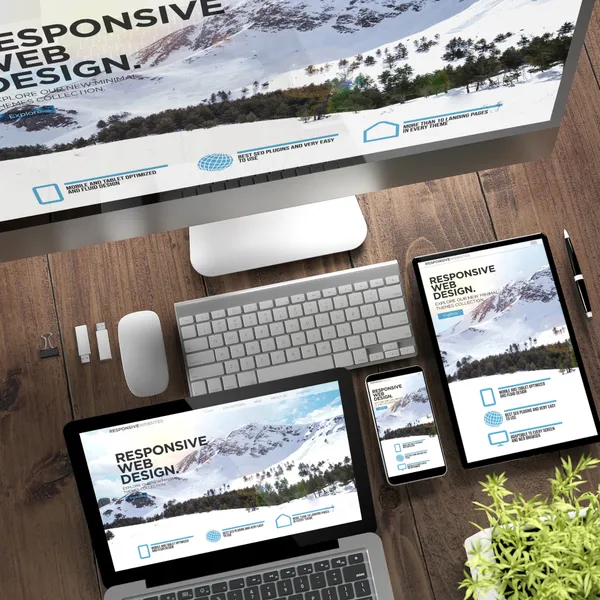
This is one of the first questions I work through with every client who comes to me saying their site “just needs an update.” More often than not, what looks like a visual problem is actually a structural one, or the reverse. I’ve had clients invest in a visual refresh only to still struggle with leads because the real issue was unclear messaging, not outdated colors. And I’ve had others who wanted a full redesign when three focused changes to their calls to action would have done the job for a fraction of the cost. The right answer almost always depends on what the site is actually failing at, not how it looks.
If your website is starting to feel outdated, you may be wondering whether it needs a full redesign or just a simple refresh. The answer depends on what is not working, how much your business has changed, and what results you want from your website.
A website refresh is usually the right choice when the structure of the site still works but the design, content, or branding needs an update. A website redesign is better when the site has deeper issues with usability, branding, performance, or conversion. In some cases, though, you may not need either option at all.
What is a Website Refresh?
A website refresh is a lighter update that improves the look and feel of your current website without rebuilding it from the ground up. This can include updated colors, fonts, images, page layouts, and website copy. It may also involve small improvements to user experience, such as clearer buttons or cleaner navigation.
A refresh works well when your website still has a strong structure but no longer feels current. It is a good option for businesses that want their site to look more modern, feel more polished, or better reflect their current brand without taking on a full redesign.
What is a Website Redesign?
A website redesign is a more complete overhaul of your site. It often includes rethinking the layout, structure, content strategy, branding, and functionality. In some cases, it may also involve moving to a new platform or changing how the website is built behind the scenes.
A redesign is usually the better choice when your current website is no longer supporting your goals. If the site is confusing, hard to navigate, slow, not mobile-friendly, or visually outdated, a redesign can help create a better user experience and a stronger online presence.
When a Refresh is Enough
A refresh may be enough if your website still functions well and just needs a visual or content update. This is often the case when the overall structure makes sense, the pages are easy to use, and the website still supports your business goals.
You may only need a refresh if:
- Your branding has changed slightly.
- Your website looks dated but still works well.
- The content is mostly accurate.
- The navigation is simple and effective.
- You want to improve the design without starting over.
In these situations, a refresh can save time and money while still improving the overall experience.
When You Need a Redesign
A redesign is usually the better option when the problems go deeper than appearance. If the website is difficult to use, no longer reflects your brand, or fails to convert visitors, a more strategic rebuild may be necessary.
You may need a redesign if:
- Your website is hard to navigate.
- It does not work well on mobile devices.
- The layout feels cluttered or confusing.
- Your business has changed significantly.
- Your services, audience, or goals are different now.
- The site is not generating leads or sales.
When several of these issues are happening at once, a refresh may not be enough to solve the problem.
Signs Your Website Needs a Redesign
If you are unsure whether your site has crossed the threshold from refresh to redesign, these are the most common signals to watch for:
- Bounce rate is high: visitors land and leave without clicking anything
- Mobile experience is broken or cramped, with layout shifts or hard-to-tap buttons
- The site is more than 3 to 5 years old, and design standards have moved on
- Your business has pivoted to new services, a new audience, or a new brand voice
- Conversion rate has dropped despite steady traffic
- Competitors’ sites look significantly more professional by comparison
Any two or three of these together is a strong signal that a refresh will not be enough.
How Often Should You Redesign Your Website?
Most businesses benefit from a full redesign every 3 to 5 years. Design trends evolve, technology changes with new frameworks and faster hosting, and Google’s ranking signals update alongside them. A site built in 2020 is running on assumptions about mobile, speed, and user experience that have since shifted.
That said, frequency depends more on performance than calendar. If your site is still converting well, ranks for your target keywords, and matches your current brand, there is no reason to redesign for the sake of it. If any of those start to break down, don’t wait for the 5-year mark.
When You Might Not Need Either
Sometimes the best answer is not a redesign or a refresh. If your website is already clear, functional, and aligned with your brand, you may only need small improvements. In many cases, businesses think they need a new website when they really need better content, stronger calls to action, or a clearer marketing strategy.
You might not need either if:
- Your website is already converting well.
- The design still feels modern.
- Visitors can easily find what they need.
- Your branding is still consistent.
- The real issue is traffic, not the website itself.
Before investing in a redesign or refresh, it is worth asking whether the problem is actually with the website or with how the site is being used. Sometimes a few focused updates, better SEO, or stronger messaging can make a bigger difference than a full rebuild.
How to Decide
The best way to decide is to look at three things: design, function, and business goals. If the site looks a little outdated but still performs well, a refresh may be enough. If the site is confusing, outdated, or not helping your business grow, a redesign is probably the better investment.
It also helps to think about where your business is headed. If you are changing your services, rebranding, or trying to attract a different audience, a redesign can give you a stronger foundation. If you just want the site to feel more current, a refresh may be the smarter move.
Final Thoughts
A website refresh updates what is already working. A website redesign rebuilds the site to work better. And in some cases, you may not need either, just a few strategic improvements.
The right choice depends on your goals, your current website performance, and how much change is actually needed. When you understand the difference, it becomes much easier to invest in the option that will give you the best long-term result.
Design vs. Development: What's the Difference

I come from both sides of this. I started as a graphic designer, then went through an accelerated software engineering / full-stack web development certification program because I was tired of handing off work and watching it get built differently than I envisioned. That dual background changed how I approach every project. I’ve seen too many sites where the design was stunning in Figma but fell apart in the browser, and others where the code was clean but the design decisions made the site nearly impossible to convert on. When design and development share a clear goal from the beginning, the result is almost always better for both.
Not sure whether you need web design, development, or both? Understanding the difference is key to building a website that not only looks professional but also performs, converts, and supports your business long-term.
Design vs. Development: What’s the Difference?
When businesses begin planning a website, one of the most common questions that comes up is: what’s the difference between web design and web development? While the two terms are often used interchangeably, they represent two distinct disciplines within the same process. Understanding how web design vs web development differ, and how they work together, can make a significant impact on the success of your website.
At a high level, web design focuses on how a website looks and feels, while web development focuses on how it functions. Web design and web development are both essential, and neither can fully succeed without the other.
Understanding Web Design
Web design is centered around the visual presentation and overall user experience of a website. It involves everything a visitor sees when they land on a page, from layout and color choices to typography and imagery. A well-designed website doesn’t just look appealing, it guides users intuitively, helping them find what they need without confusion.
Designers think in terms of structure, hierarchy, and usability. They consider how content is organized, how users move from one section to another, and how the design reflects a brand’s identity. Good design builds trust almost instantly. When a website feels polished and easy to use, visitors are more likely to stay, explore, and take action.
This is why topics like how website design affects user experience and conversions or why UI/UX design is important for business websites are so critical. Design is not just about aesthetics, it directly influences how people perceive your business.
Understanding Web Development
While design defines the look and feel, web development is what brings a website to life. Development is the process of turning static designs into a fully functioning, interactive experience that users can navigate and engage with.
Developers use technologies like HTML, CSS, and JavaScript to build the front end of a website, ensuring that everything displays correctly across devices and screen sizes. On the backend, they may work with servers, databases, and APIs to handle things like form submissions, user accounts, or e-commerce functionality.
In many ways, development determines how well a website performs. Factors like page speed, responsiveness, and reliability all depend on how the site is built. This is why searches like how website development impacts speed and performance or what does a web developer do after the design is finished are so relevant. A strong development foundation ensures that a website doesn’t just look good, but works smoothly under real-world conditions.
The Key Differences That Matter
Although design and development are closely connected, their priorities are different. Design is concerned with user perception: how a site looks, feels, and communicates a brand’s message. Development is focused on execution: how that vision is built, optimized, and maintained.
Another major difference lies in the tools and skill sets involved. Designers typically work with tools like Figma or Adobe to create layouts and prototypes, while developers use code editors and frameworks to construct the final product. Designers rely heavily on creativity, visual thinking, and user psychology, whereas developers rely on logic, technical knowledge, and problem-solving.
The output of each role also differs. Designers produce mockups and prototypes that represent the intended look of a website, while developers deliver a live, functional site that users can interact with.
| Web Design | Web Development | |
|---|---|---|
| Focus | How the site looks and feels | How the site functions |
| Output | Mockups, prototypes, visual assets | Live, working code |
| Tools | Figma, Adobe XD, Illustrator | HTML, CSS, JavaScript, frameworks |
| Skills | Visual thinking, UX, brand strategy | Logic, coding, problem-solving |
| Goal | Guide users and build trust | Performance, reliability, functionality |
Web Designer vs. Web Developer: Is There a Difference?
Yes, and it matters for hiring decisions. A web designer focuses on the visual and experiential side: layouts, color palettes, typography, and how users feel as they navigate. A web developer writes the code that makes those designs function in a browser.
Some professionals work across both disciplines, sometimes called a design-engineer or full-stack designer, but most specialists lean one way. When scoping a project, knowing which role you actually need prevents budget waste and misaligned expectations. For most small and mid-sized businesses, a single agency that handles both web design and web development together is the most efficient path to a site that’s cohesive from mockup to launch.
Why You Need Both Design and Development
One of the biggest mistakes businesses make is focusing too heavily on one side while neglecting the other. A website with strong design but weak development may look impressive at first glance, but it can suffer from slow load times, broken functionality, or poor SEO performance. On the other hand, a site with solid development but weak design may function perfectly but fail to engage users or build trust.
The most effective websites are the result of both disciplines working together from the beginning. Design sets the direction, ensuring the site aligns with your brand and appeals to your audience. Development then brings that vision to life, making sure it performs reliably across all devices and use cases.
When both are executed well, the result is a website that not only looks professional but also supports real business goals, whether that’s generating leads, increasing sales, or improving user engagement.
Choosing the Right Approach for Your Business
Deciding whether you need design, development, or both depends on your current situation. If your website feels outdated, difficult to navigate, or visually inconsistent, design is likely the priority. If your site is slow, lacks functionality, or struggles to scale, development may be the bigger concern.
However, for most businesses, especially those building a new website or aiming for long-term growth, the answer is both. A cohesive approach ensures that your site is not only visually appealing but also technically sound and built to perform.
Frequently Asked Questions
Do I need both web design and web development? For most business websites, yes. Design without development produces a static mockup. Development without design produces a site that works but fails to engage or convert. The two disciplines work together to create a website that is both visually strong and technically sound.
Can one person handle both design and development? Some professionals specialize in both, often called a design-engineer or full-stack designer. This can be a cost-effective option for smaller projects, though larger or more complex websites typically benefit from dedicated specialists in each area.
What is the difference between front-end development and web design? Front-end development is the coding of what users see in their browser: HTML, CSS, and JavaScript. Web design is the creative process that determines how the front end should look and feel before any code is written. Design informs the front-end build; front-end development brings the design to life.
Is web design or web development harder to learn? They require different skill sets. Web design demands visual thinking, an understanding of user psychology, and tools like Figma. Web development requires logic, problem-solving, and proficiency in coding languages. Neither is objectively harder. It depends on where your strengths lie.
Final Thoughts
The difference between web design and web development comes down to form versus function. Design shapes how your audience experiences your brand, while development ensures that experience is smooth, reliable, and effective.
Understanding this distinction allows you to make more informed decisions when planning your website. More importantly, it helps you invest in the right areas, ensuring that your website becomes a valuable asset rather than just a digital placeholder.
In today’s competitive landscape, a successful website isn’t just about looking good or working properly. The goal is about doing both seamlessly.
Why Branding Matters for Any Business
The most common thing I hear from new clients is some version of “our logo is fine, we just need a new website.” But when I dig into their current site, I usually find that the logo, fonts, colors, and copy are each telling slightly different stories about who they are. Branding isn’t just about having a logo — it’s about whether every customer touchpoint reinforces the same idea of what your business is. I’ve seen businesses completely change their close rate after a cohesive rebrand, not because their services changed, but because clients could finally understand who they were at a glance.
For many business owners, branding is often mistaken for simply having a logo or choosing a few colors. While those elements are part of branding, the concept goes much deeper. Branding is the way your business presents itself to the world and how customers perceive your company. It influences trust, recognition, and ultimately whether someone chooses your business over a competitor.
Understanding the role branding plays can help businesses create a stronger identity, connect with their audience, and build long-term success.
What Branding Really Is
Branding is the overall identity of your business. It includes your logo, colors, typography, messaging, tone of voice, and visual style. More importantly, branding reflects your company’s values, personality, and the experience customers expect when interacting with your business.
A strong brand creates a consistent and recognizable presence across all platforms, including your website, social media, marketing materials, and even how you communicate with clients.
Why Branding Is Important for Businesses
A clear and professional brand helps customers quickly understand who you are and what you offer. When your branding is consistent and well-designed, it builds credibility and trust. People tend to feel more comfortable doing business with companies that appear organized, professional, and established.
Branding also helps differentiate your business from competitors. In many industries, companies offer similar products or services. A strong brand can make your business more memorable and help customers choose you over others.
First Impressions Matter
For many businesses, a website is the first place potential customers encounter your brand. If your branding looks outdated, inconsistent, or unprofessional, visitors may question the credibility of your business. On the other hand, a well-designed brand can immediately communicate professionalism and confidence.
This first impression often determines whether someone stays on your site to learn more or leaves to explore other options.
Consistency Builds Recognition
Consistency is one of the most important aspects of branding. When your logo, colors, fonts, and messaging remain consistent across your website, marketing materials, and social media platforms, it becomes easier for customers to recognize your business.
Over time, this recognition helps build familiarity and trust. Businesses that maintain consistent branding often appear more reliable and established in the eyes of their audience.
Branding Influences Customer Trust
Customers want to feel confident about the businesses they choose. Strong branding helps create that sense of confidence. When a business presents itself clearly and professionally, it signals that the company is serious about what it does.
Trust is especially important for service-based businesses, where customers rely heavily on reputation and credibility when deciding who to work with.
Branding Supports Marketing Efforts
Marketing becomes much more effective when it is supported by a strong brand. Clear branding helps ensure that advertisements, social media content, and website messaging all work together to tell a cohesive story about your business.
Without a clear brand identity, marketing efforts can feel scattered or inconsistent, making it harder to attract and retain customers.
When Businesses Should Revisit Their Branding
Branding should evolve as your business grows. Many companies revisit their branding when they expand services, target a new audience, or modernize their website. Updating branding can also help refresh a company’s image and better reflect its current direction.
A brand update does not always require a complete overhaul. Sometimes refining a logo, improving typography, or establishing clearer brand guidelines can make a significant difference.
Final Thoughts
Branding is much more than visual design—it is the foundation of how your business communicates and connects with customers. A strong brand helps build trust, improve recognition, and support your marketing efforts.
Businesses that invest in thoughtful, consistent branding often position themselves for long-term growth. When customers clearly understand who you are and what you stand for, it becomes much easier for them to choose your business with confidence.
10 Web Design Trends Shaping Digital Experiences for 2026

I started my career in graphic design before the web was what it is today, which means I’ve watched nearly every major design trend cycle through — from Flash-heavy intros to flat design to skeuomorphism and back again. The trends I take seriously are the ones rooted in user behavior data, not aesthetic preference. The shift I find most compelling heading into 2026 is the move away from templated sameness: clients increasingly ask for sites that look unmistakably like them, not like every other site in their industry. That’s a harder problem to solve, and a more interesting one.
Web design continues to evolve alongside technology, user expectations, and search engine standards. In 2026, the focus is no longer just about aesthetics — it’s about creating intelligent, fast, accessible, and conversion-focused digital experiences. Businesses that adapt to these changes aren’t just staying modern; they’re positioning themselves for stronger engagement, better SEO performance, and higher conversion rates.
Here are the most important web design trends defining 2026:
Authentic, Human-Centered Design
As automation and templated websites become more common, brands are moving in the opposite direction — toward authenticity and human-centered design. In 2026, businesses are prioritizing real photography over stock images, genuine storytelling over corporate jargon, and brand personality over generic layouts.
Consumers are more digitally savvy than ever, and they can quickly recognize when a website feels artificial or overly polished. Websites that highlight real team members, behind-the-scenes processes, customer stories, and clear brand values create stronger emotional connections. This authenticity builds trust, which directly impacts engagement and conversion rates.
Design elements that support this trend include expressive typography, imperfect but intentional layouts, candid imagery, and warm, conversational copy. Instead of trying to look like every other modern website, brands are focusing on standing out by being distinctly themselves.
In a crowded digital landscape, authenticity is becoming one of the strongest differentiators.
Voice and Conversational Interfaces
Voice technology and conversational UX are becoming more integrated into web experiences. As voice search grows in popularity, especially on mobile devices and smart assistants, websites are beginning to adapt with voice-enabled navigation and AI-powered chat interfaces that feel more natural and intuitive.
Rather than relying solely on traditional menus and static forms, conversational interfaces guide users through decision-making processes. This reduces friction, improves accessibility, and creates a more human interaction style. Businesses that embrace conversational design early are better positioned to meet evolving user behavior patterns.
Purposeful Micro-Interactions
In 2026, motion design is subtle but strategic. Instead of overwhelming users with flashy animations, designers are focusing on purposeful micro-interactions — small visual responses that confirm actions and guide attention. Hover effects, animated buttons, smooth scroll transitions, and visual feedback during form submissions all contribute to a more intuitive experience.
These refined details build trust and make websites feel polished and responsive. Micro-interactions also help users understand how to navigate a site without confusion, reducing frustration and improving usability. When done correctly, they enhance the experience without sacrificing speed or performance.
Bold Typography and Statement Text
In 2026, typography is taking center stage. Instead of relying heavily on imagery alone, many websites are using oversized, expressive fonts to create immediate visual impact. Bold headlines, dramatic scale shifts, and distinctive typefaces are becoming key design elements rather than secondary styling choices.
Statement typography helps communicate brand personality instantly. Whether it’s clean and minimalist, elegant and refined, or loud and expressive, font choices now carry strategic weight. Designers are pairing strong typography with generous white space to ensure clarity while maintaining visual drama.
This trend also improves usability when done correctly. Clear hierarchy, readable contrast, and intentional spacing guide visitors through content naturally. Large, well-structured text enhances accessibility and keeps users engaged — especially on mobile devices where clarity is essential.
When typography is treated as a core design feature instead of an afterthought, it elevates both branding and user experience.
Immersive 3D and Depth Effects
Three-dimensional elements and layered design are becoming more common, but with a strong emphasis on optimization. Rather than heavy, performance-draining graphics, designers are using lightweight 3D visuals, depth layering, and subtle motion effects to create immersive experiences without compromising load speed.
This trend works especially well for product-based businesses or brands that want to create a sense of dimension and interactivity. However, performance remains critical. In 2026, immersive design must coexist with fast load times and strong Core Web Vitals metrics to support SEO.
Accessibility as a Core Standard
UX isn’t just aesthetics — it’s direction.
Each page should have:
- One primary action
- Clear button language
- Logical placement
If users know what to do next, engagement increases — which supports SEO performance over time.
Asymmetrical Layouts and Creative Grids
While minimalism remains popular, rigid grid systems are giving way to more expressive layouts. Designers are experimenting with asymmetry, dynamic spacing, and layered typography to create visually distinctive websites. These layouts break predictable patterns while maintaining usability.
Creative grid systems allow brands to stand out in crowded markets. However, balance is key — innovation must not come at the cost of clarity. Successful asymmetrical designs guide the user’s eye intentionally and maintain strong content hierarchy.
Performance-First and Sustainable Design
Speed is no longer just a technical concern — it is a design decision. Sustainable web design practices focus on reducing unnecessary scripts, optimizing images, minimizing code bloat, and prioritizing essential content. Faster websites consume fewer resources and provide a smoother experience.
Search engines increasingly reward high-performing sites, and users have little patience for slow-loading pages. In 2026, performance optimization is built into the design process from the beginning rather than added later as a fix.
Content-First, SEO-Driven Structure
Modern web design prioritizes content clarity and structure. Pages are being designed with SEO and readability in mind, using strategic heading hierarchies, structured sections, FAQ components, and skimmable formatting. The goal is to make content easy for both users and search engines to understand.
Rather than treating design and SEO as separate disciplines, businesses are integrating them. This approach ensures that visual presentation enhances — rather than competes with — search visibility.
Mobile-First Strategy
UX-driven SEO requires data. Mobile usage continues to dominate web traffic, making mobile-first design a non-negotiable standard. Designers are building layouts primarily for smaller screens and then scaling upward for larger displays. Navigation is simplified, touch interactions are prioritized, and content is streamlined to maintain clarity on compact devices.
A mobile-first mindset ensures better usability, improved engagement, and stronger search rankings, as search engines primarily evaluate the mobile version of websites.
Final Thoughts
Web design trends in 2026 reflect a deeper shift toward user-centered, performance-driven digital experiences. The emphasis is no longer on decoration alone — it is about creating intelligent systems that are fast, accessible, personalized, and strategically structured for search visibility.
Businesses that embrace these trends thoughtfully will not only appear modern but will also benefit from improved SEO performance, stronger engagement, and higher conversion rates. The future of web design belongs to brands that balance innovation with usability and performance.
Interested in more articles about design? Read our guide on how to improve SEO with UX: A practical guide for business owners.
How to Improve SEO with UX: A Practical Guide for Business Owners
Over the years I’ve worked with clients who ranked well for their target keywords but still weren’t seeing leads. Every time, the answer came back to the same thing: people were finding the site but leaving before doing anything. I’ve seen a navigation restructuring alone drop a client’s bounce rate by over 30%, which then improved their rankings further. It compounds. Once you’ve worked on enough sites, the distinction between SEO and UX starts to feel mostly artificial.
Most people treat SEO (search engine optimization) and UX (user experience) as separate strategies. They’re not. Search engines reward websites that provide a great experience. That means if your UX improves, your SEO often improves too. In fact, many ranking factors today are directly tied to how users interact with your site.
As of December 2025, according to Statista, Google which dominates over 90% of search traffic has tirelessly refined its ranking algorithm to prioritize a website’s user experience. Google wants everyone to know that a fast, user-friendly, optimal, and stable website ranks higher.
Here’s a guide on the UX best practices for SEO that have the most measurable impact, in practical, actionable terms.
1. Improve Page Speed (Core Web Vitals Matter)
Slow websites hurt both rankings and conversions.
Google measures performance through Core Web Vitals, including:
- Largest Contentful Paint (LCP)
- First Input Delay (FID)
- Cumulative Layout Shift (CLS)
To improve:
- Compress images
- Use next-gen formats (WebP)
- Minimize JavaScript
- Enable caching
- Use clean coded, lightweight websites
A fast website lowers bounce rate and increases time on site, two behavioral signals that support SEO.
2. Simplify Navigation and Site Structure
If users can’t find what they need quickly, they leave.
Google learns about your website when it crawls it. Clear site structure improves:
- Crawlability (search engines understand your hierarchy)
- Internal linking strength
- User flow
Best practices:
- Keep main navigation simple (5 to 7 items max)
- Use descriptive menu labels (not “Services 1”)
- Create clear category pages
- Add contextual internal links
Better structure means better indexing and better engagement.
3. Design for Mobile First
Google uses mobile-first indexing.
If your mobile experience is poor, your rankings suffer.
Improve mobile UX by:
- Using responsive design
- Increasing tap target sizes
- Reducing popups
- Avoiding horizontal scroll
- Optimizing mobile load speed
More than half of traffic is mobile. Poor mobile UX means lost rankings and lost revenue.
4. Improve Readability and Content Layout
Even great content fails if it’s hard to read.
UX-driven content formatting helps SEO because it increases:
- Time on page
- Scroll depth
- Engagement
Use:
- Short paragraphs
- Clear subheadings (H2, H3)
- Bullet points
- Visual breaks
- Strong opening hooks
Make scanning easy. Users don’t read, they scan.
5. Reduce Bounce Rate with Clear Messaging
Modern customers expect convenience. If users land on your page and don’t instantly understand what you do, they leave.
Improve above-the-fold clarity:
- Clear headline (what you do and who it’s for)
- Short supporting paragraph
- Strong call to action
Search engines measure pogo-sticking (users bouncing back to results quickly). Clear messaging improves dwell time.
6. Optimize Calls to Action (Without Being Aggressive)
UX isn’t just aesthetics. It’s direction.
Each page should have:
- One primary action
- Clear button language
- Logical placement
If users know what to do next, engagement increases, which supports SEO performance over time.
7. Use Internal Linking Strategically
Internal linking improves both UX and SEO.
It:
- Helps users explore related topics
- Distributes authority across pages
- Helps search engines understand relevance
Best practice:
- Link to related blog posts naturally
- Use descriptive anchor text
- Avoid over-optimization
Think: helpful navigation, not keyword stuffing.
8. Improve Accessibility
Accessible websites perform better overall.
Simple improvements include:
- Alt text for images
- Proper heading structure
- Good color contrast
- Keyboard navigability
Accessibility improves usability for everyone, and search engines benefit from clearer structure.
9. Eliminate Friction in Forms
If your forms are long or confusing, users abandon them.
Improve UX by:
- Reducing required fields
- Grouping related inputs
- Showing clear success messages
- Adding trust signals
Higher conversion rates often correlate with stronger behavioral SEO signals.
10. Track User Behavior and Optimize
UX-driven SEO requires data.
Use tools like:
- Google Analytics
- Heatmaps
- Session recordings
Look for:
- High-exit pages
- Low scroll depth
- Navigation confusion
Then iterate.
SEO is not just keywords. It’s user satisfaction.
Why UX-Driven SEO Wins Long-Term
Search engines are evolving.
They prioritize:
- User satisfaction
- Performance
- Clarity
- Engagement
If your website is technically optimized but difficult to use, rankings will plateau.
But if your site is fast, intuitive, and conversion-focused, both users and search engines reward you.
Final Thoughts
Improving SEO through UX isn’t about design trends.
It’s about:
- Reducing friction
- Increasing clarity
- Improving performance
- Guiding users effectively
When you align SEO strategy with user experience, you create a website that ranks and converts.
Want to learn more about SEO? Read our post about technical SEO.
Want other website tips for your business? Read our post about how a well-designed website can boost business.
Interested in reading more about design and UX? Read our forecast on 10 web design trends shaping digital experiences for 2026.
Should a Retail Business Focus on E-commerce in 2026
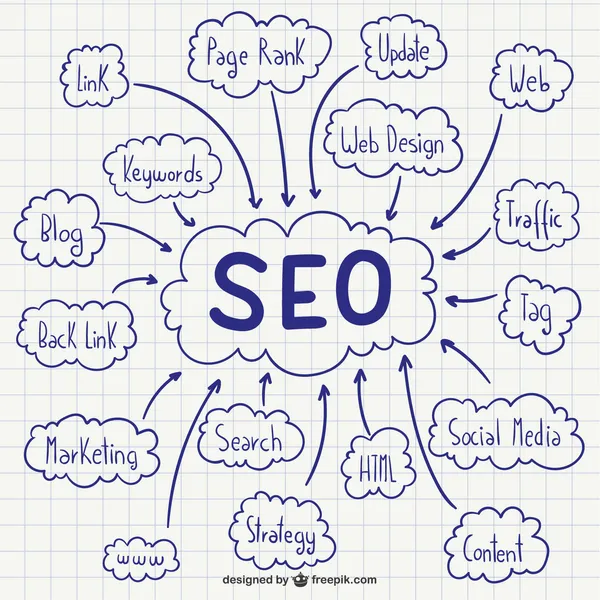
I’ve worked with enough brick-and-mortar businesses to know that “just put it online” is rarely the right advice on its own. One of my clients, a specialty retailer in Queens, came to me wanting a full e-commerce store before we’d looked at whether their product margins could absorb shipping costs. We started smaller: an inventory lookup page and in-store pickup option. It drove more foot traffic than a full online store would have at that stage. The real question isn’t whether to go online. It’s which digital touchpoints make sense for your specific business model right now.
In 2026, retail businesses can no longer treat e-commerce as optional. Customers expect to browse, compare, and buy online seamlessly. A strong online presence expands your reach beyond local foot traffic and creates additional revenue streams. Retailers that combine in-store experience with smart e-commerce strategy will stay competitive and future-proof their growth. If you already do retail sales, you’ve probably asked yourself this question:
“Do I really need to sell online?”
With the rise of online shopping, social commerce, and mobile purchasing, it can feel like going digital is no longer optional. But is starting an e-commerce store always the right move?
Let’s break it down strategically.
The Short Answer: It Depends on Your Goals
Starting an e-commerce store isn’t just about “being modern.” It’s about:
- Expanding revenue
- Reaching new customers
- Future-proofing your business
- Competing effectively in your market
For many store owners, the real question isn’t if you should sell online. It’s when and how.
Pros and Cons of Starting an Online Store in 2026
Before committing, it helps to weigh both sides honestly.
Pros:
- Reach customers beyond your local area, 24 hours a day, 7 days a week
- Create a second revenue stream that isn’t tied to foot traffic or store hours
- Build customer data through email capture and purchase history
- Lower expansion cost compared to opening a second physical location
- SEO and social media can drive traffic at a fraction of traditional ad spend
Cons:
- Adds operational complexity including fulfillment, returns, and customer service
- Requires upfront investment in platform setup, product photography, and marketing
- Thin-margin products may not absorb shipping costs profitably
- Without a traffic strategy, an online store can sit with zero visitors for months
- Products that require in-person consultation often underperform online
Why Many Store Owners Go Online
Reach Beyond Your Local Area
An e-commerce store:
- Expands your reach nationwide (or globally)
- Allows 24/7 purchasing
- Attracts customers through Google and social media
If someone loves your product but doesn’t live nearby, an online store removes that barrier.
Create a Second Revenue Stream
Brick-and-mortar sales fluctuate:
- Weather
- Seasonality
- Economic downturns
- Foot traffic changes
An online store gives you:
- Revenue outside store hours
- Holiday promotions without extended staffing
- Email marketing opportunities
- Retargeting campaigns
It diversifies your income, which lowers risk.
Improve Customer Convenience
Modern customers expect convenience.
They want to:
- Browse before visiting
- Check inventory
- Order for pickup
- Reorder past purchases easily
An e-commerce store supports this behavior and strengthens loyalty.
When It Might Not Make Sense (Yet)
While e-commerce offers benefits, it’s not automatically right for everyone.
You may want to reconsider if:
- Your margins are very thin and shipping costs would hurt profitability.
- Your product requires in-person consultation.
- You don’t have systems for inventory management.
- You’re already struggling operationally offline.
Going online adds complexity: fulfillment, returns, marketing, and tech management.
The Real Consideration: Do You Have a Strategy?
Many store owners launch a website and expect instant sales.
But e-commerce requires:
- Traffic generation (SEO, ads, social)
- Product photography
- Shipping logistics
- Email marketing
- Conversion optimization
Without a plan, an online store can sit idle.
With a strategy, it can become a powerful growth channel.
Hybrid Is Often the Smart Move
The most successful store owners today don’t choose physical or online. They combine both.
Examples:
- Buy online, pick up in store (BOPIS)
- Online exclusives
- Pre-orders
- Gift cards
- Subscription options
An online store can complement your physical location, not replace it.
Benefits That Often Surprise Store Owners
Increased Brand Credibility
Even customers who shop in-store often research online first.
Better Customer Data
Email capture and online purchase tracking give insight you don’t get from walk-ins.
Easier Repeat Sales
Email campaigns and retargeting drive repeat purchases automatically.
The Cost Question
Yes, there are costs:
- Platform fees
- Payment processing fees
- Shipping materials
- Marketing budget
- Development (if hiring someone)
But compare that to:
- Additional retail rent
- Hiring more staff
- Expanding physical space
Online expansion is often lower-risk than physical expansion.
Questions to Ask Yourself
Before launching, ask:
- Do my customers already search for products online?
- Can my products ship easily and profitably?
- Do I want to grow beyond my local market?
- Am I ready to invest time or hire support?
If you answer “yes” to most of these, starting an e-commerce store likely makes sense.
Final Verdict: Should You Start One?
For most modern store owners, having some form of e-commerce presence is no longer optional. It’s strategic.
You don’t have to launch a massive, complex online operation.
You can start small:
- Core products only
- Local delivery
- In-store pickup
- Simple online catalog
Then scale as demand grows.
The key is intentional growth, not rushing into tech without a plan. And if you already have an existing e-commerce store, a smart website redesign SEO strategy can help prevent traffic loss and boost long-term visibility and sales.
What is Technical SEO and How it Matters

When I audit a new client’s site, the issues I find most often — broken internal links, unoptimized images dragging down load times, pages blocked by misconfigured robots.txt — are almost never visible to the site owner. They see a website that looks fine; I see a site quietly hemorrhaging traffic every day. In twenty-plus years of building and auditing sites, I’ve watched technically sound sites outrank flashier ones consistently. Technical SEO is the work no one sees, and that’s exactly why it’s where I always start.
Ask ten people what technical SEO is and you’ll get ten different answers. For some, it’s a checklist. For others, it’s a mystery box of code and crawlers. In reality, technical SEO is much simpler — and much more important — than it’s often made out to be.
At its core, technical SEO is about making sure search engines can access, understand, and trust your website. If they can’t, everything else you do — content, backlinks, keywords — becomes less effective.
Technical SEO Is the Foundation, Not the Finish Line
Content and links get the spotlight, but technical SEO is the foundation they sit on. If that foundation is weak, even great content struggles to perform.
Technical SEO focuses on questions like:
- Can search engines crawl your site efficiently?
- Can they index the right pages?
- Do your pages load fast and work well on all devices?
- Is your site structured in a way that makes sense?
If the answer to any of these is “not really,” rankings and traffic will suffer — often silently.
Crawlability: Can Search Engines Reach Your Pages?
Search engines use bots to crawl your site. Technical SEO ensures those bots can move through your pages without friction.
Common issues include:
- Broken internal links
- Poor URL structure
- Blocked pages via robots.txt
- Duplicate content from bad canonical setup
If Google can’t reliably crawl your site, it can’t evaluate it properly — no matter how good the content is.
Indexing: Are the Right Pages Being Counted?
Not every page on your site should be indexed. Technical SEO helps control what search engines actually include in their results.
This means managing:
- Canonical tags
- Noindex directives
- Parameter-heavy URLs
- Thin or duplicate pages
Without this control, search engines waste time on low-value pages while ignoring the ones that matter.
Site Speed and Performance Matter More Than Ever
Performance is no longer optional. Slow sites frustrate users and reduce conversions — and Google measures that.
Technical SEO includes:
- Core Web Vitals
- Image and asset optimization
- Efficient JavaScript and CSS delivery
- Server and hosting performance
A technically sound site loads quickly, feels responsive, and keeps users engaged.
Mobile and UX Are Now SEO Concerns
Google indexes your site using its mobile version first. That means layout, navigation, and usability directly affect SEO.
Technical SEO overlaps heavily with UX:
- Responsive design
- Touch-friendly navigation
- Readable content without zooming
- Stable layouts that don’t shift
A site that’s hard to use on mobile is harder to rank — period.
Structured Data: Helping Search Engines Understand Context
Schema markup doesn’t guarantee rankings, but it improves clarity.
Structured data helps search engines understand:
- Products and pricing
- Reviews and ratings
- FAQs and how-to content
- Business details
This can unlock rich results and improve visibility — even if your position stays the same.
Security and Trust Signals Matter
Google expects modern sites to be secure and well maintained.
Technical SEO includes:
- HTTPS
- Clean redirect handling
- Proper status codes
- No malware or hacked content
Trust is part of ranking, and technical hygiene plays a big role.
Why Technical SEO Actually Matters to Your Business
Here’s the part most guides miss: technical SEO isn’t about pleasing Google — it’s about removing friction.
When your site is technically solid:
- Pages load faster
- Users stay longer
- Conversion rates improve
- Content performs better
- Marketing dollars go further
Technical SEO amplifies everything else you do.
Final Thought
You don’t need to obsess over every technical detail — but you can’t ignore them either.
Technical SEO is not a one-time fix or a magic lever. It’s ongoing maintenance that ensures your website stays visible, usable, and competitive as search evolves.
If SEO is the engine, technical SEO is the oil that keeps it running.
Want to learn more about SEO? Read our post about to improve SEO with UX.
How Web Accessibility Can Affect Your Business
When I started building websites, accessibility was an afterthought — a checklist item near the end of a project, if it appeared at all. That changed after a client of mine received a formal complaint that their site was completely unusable with a screen reader. We fixed it quickly, but the experience stuck with me: the site had looked fine visually, yet an entire segment of their audience couldn’t use it. Since then, accessibility has been part of my process from the first wireframe, and I’ve found that sites built with it in mind tend to be cleaner, faster, and easier for everyone — not just users with assistive technology.
Web accessibility means creating websites that everyone can use, no matter their abilities or limitations. That includes people who are blind or visually impaired, have limited mobility, rely on screen readers, or use voice navigation tools.
An accessible website ensures that every visitor—not just some—can easily navigate, read, and interact with your content.
How Websites Can Be More Accessible
Here are some ways to make a website more accessible:
- Structure layouts that are easy to navigate with screen readers.
- Choose colors with proper contrast ratios.
- Label buttons and images correctly for assistive technology.
- Ensure every interactive element works from a keyboard, not just a mouse.
- Make forms and menus usable on any device or browser.
- Without this kind of detail, your site could unknowingly exclude a portion of your audience—or even fail legal accessibility standards.
Accessibility Isn’t Just Ethical—It’s Strategic
What can an accessible website do for you?
- Legal Protection: Accessibility laws like the ADA and WCAG guidelines apply to many public-facing websites. A designer helps ensure your site meets compliance standards.
- Wider Audience Reach: Accessible websites work for everyone, including aging users and people using assistive tech.
- Better SEO: Search engines reward clean structure, proper headings, and alt text—all part of accessible design.
- Improved User Experience: When accessibility is built in, your site becomes easier to read, navigate, and use—for all visitors.
- Professional Credibility: A well-built accessible site shows that your business cares about inclusion and attention to detail.
Common Mistakes Some Sites Make
Here are some common mistakes many websites will often make:
- Poor color contrast or unreadable text.
- Missing alt text on images.
- Buttons or menus that don’t work via keyboard.
- Videos without captions.
- Incorrect heading order, confusing assistive tools.
How to Fix These Problems
- Audit your existing site for accessibility gaps.
- Design layouts that adapt naturally to different devices and assistive technologies.
- Use semantic HTML and ARIA labels where needed.
- Test your site using accessibility tools and screen readers.
- Balance clean design with compliance and usability.
- A website redesign and SEO adjustments work together to improve user experience and search visibility.
WordPress vs. Custom Coded Websites
I’ve seen other web designers build on both platforms and, over the years, I’ve also seen them migrating clients in both directions. My honest answer to the WordPress-vs-custom question has evolved: Many designers often default to WordPress because it can be fast to launch and clients already knew the name. What changed their thinking was maintaining WordPress sites for several clients simultaneously and watching plugin conflicts silently break features in the background — sometimes for weeks before anyone noticed. For businesses that need long-term reliability without monthly triage, custom code isn’t just a premium option, it’s the more practical one.
Choosing between WordPress and a custom-coded website depends on your business goals, budget, and scalability needs. WordPress offers flexibility and speed to launch, while custom development provides greater performance control and tailored functionality. The right choice comes down to how much customization, security, and long-term growth you’re planning for. Not sure what the development side of a project actually involves? Read our breakdown of web design vs web development first. See the comparisons:
Flexibility and Customization
WordPress:
WordPress offers thousands of themes and plugins, making it possible to get a site up quickly without writing a single line of code. However, this convenience can come at the cost of flexibility. Customizing beyond what a theme allows often requires additional plugins, which can lead to conflicts, performance issues, or extra maintenance.
Custom Coded:
A custom-coded site is built from the ground up to meet your exact requirements. There’s no relying on generic templates or bloated plugins. Every element is tailored to your brand, functionality is precise, and scalability is baked in from day one.
Performance and Speed
WordPress:
WordPress sites can be fast, but because they often rely on multiple plugins and pre-built themes, they can become heavy and slow—especially if not optimized properly. A slow site can hurt both user experience and search rankings.
Custom Coded:
With a custom site, every line of code is purposeful. There’s no unused CSS or JavaScript, no extra plugin overhead. This results in faster load times, smoother user experiences, and better SEO performance.
Security and Maintenance
WordPress:
As one of the most popular platforms in the world, WordPress is also a frequent target for hackers. Keeping it secure requires regular updates to the core software, themes, and plugins—sometimes weekly. Neglecting updates can leave your site vulnerable.
Custom Coded:
A custom-coded site has a smaller attack surface because it doesn’t rely on publicly available themes or plugins. Security can be built into the foundation, and maintenance schedules are often less demanding—focused on your site’s specific needs.
Cost Over Time
WordPress:
WordPress is often cheaper upfront because you can use free or low-cost themes. However, costs can add up over time with premium plugins, developer fixes, and performance upgrades.
Custom Coded:
A custom site usually has a higher initial investment, but it’s built to last. Without the constant need for plugin updates or theme overhauls, the long-term cost can be lower—especially if your site grows with your business instead of requiring a rebuild.
Who Should Choose Which?
-
WordPress works well for small projects, personal blogs, or businesses that need to get online quickly with minimal upfront cost.
-
Custom Coded is ideal for businesses that prioritize performance, unique branding, scalability, and long-term ROI.
Final Thoughts
If your priority is speed-to-launch and you’re comfortable with ongoing maintenance, WordPress is a solid choice. But if you want a website that stands out, performs flawlessly, and adapts perfectly to your business needs, a custom-coded site is worth the investment.
How a Well-Designed Website Can Boost Business


I’ve seen firsthand what happens when a business’s website doesn’t match the quality of the work they actually do. Early in my career, I redesigned a site for a long-established contractor in New York who was losing bids to younger competitors — not because of skill, but because his site looked like it was built in the early 2000s. Within a month of launching the new site, he told me his inquiry rate had nearly doubled. That experience shaped how I think about web design: it’s not decoration, it’s infrastructure for how clients perceive you before you ever speak to them.
A well-designed website builds trust, communicates your value clearly, and guides visitors toward taking action. Strong layout, fast performance, and intuitive navigation keep users engaged and reduce bounce rates. When design and strategy align, your website becomes a powerful tool for generating leads and increasing revenue.
So, what exactly can a well-designed website do for a business? Let’s break it down.
It builds instant credibility
People make snap judgments online. A clean, modern, and professional website design immediately communicates trust and legitimacy. On the flip side, an outdated or clunky website raises red flags and can make even the best business seem unreliable.
It keeps visitors engaged
First impressions are one thing, but keeping someone on your site long enough to convert is another. Good design, paired with thoughtful layout, intuitive navigation, and clear calls to action, keeps users interested and helps guide them naturally toward your goals (whether that’s booking, buying, or inquiring).
Fact: 38% of people will stop engaging with a website if the content or layout are unattractive.
It boosts your search rankings (SEO)
Design isn’t just visual—it’s also structural. A well-designed website is optimized for performance, mobile-friendly, and built with clean code—all things search engines love. That means better rankings, more visibility, and ultimately, more organic traffic. If you’ve ever wondered exactly where design ends and development begins, we break down the difference between web design and web development in full.
Fact: 47% of Users expect a maximum of 2 seconds loading time for an average website.
It improves mobile experience
More than half of all website traffic now comes from mobile devices. A responsive, mobile-optimized design ensures that your site looks great and functions smoothly across all screen sizes. If your site isn’t mobile-friendly, users will bounce — and search engines may penalize you.
It increases conversions
Design directly impacts your bottom line. Strategic design choices like well-placed buttons, concise messaging, smart use of color, and trust-building visuals can increase your conversion rate. That means more leads, sales, or sign-ups from the same amount of traffic.
It reflects your brand identity
Your website is a digital extension of your brand. A thoughtful design ensures that your site visually communicates your values, voice, and style. This consistency builds brand recognition and reinforces your credibility across every touchpoint.
Fact: Users spend an average of 5.94 seconds looking at a website’s main image.
It streamlines the customer journey
Whether you want users to fill out a form, browse services, or make a purchase, the structure and flow of your site matters. A well-designed website removes friction and confusion, guiding users step-by-step toward your most important goals.
Fact: Nearly 8 in 10 customers would stop engaging with content that doesn’t display well on their device.
What makes a website “well-designed”?
- User-centered design: Easy to navigate and understand
- Visual clarity: Clean layout, strong typography, and purposeful colors
- Speed & performance: Fast loading times and optimized media
- Mobile responsiveness: Works flawlessly on all devices
- Clear messaging & CTAs: Visitors know what to do next
- On-brand aesthetics: Reflects your unique identity
If you want the data behind these points, we put together a full breakdown of website design statistics every small business owner should know.
The bottom line
Your website is more than just a digital business card—it’s a 24/7 salesperson, brand ambassador, and customer service rep all rolled into one. A well-designed website doesn’t just look good—it works hard behind the scenes to attract, engage, and convert your audience.
If your current site isn’t performing the way it should, it might be time for a redesign. The investment pays off not just in appearance—but in real, measurable business growth.